AlienSync Updates: Unmasked Truth & How to Verify
If you searched for AlienSync app updates, you probably want a changelog: version numbers, new features, bug fixes. Here is the honest answer. As of October 2026, I couldn’t find an official AlienSync website, developer page, store listing, or public changelog that confirms specific update details. Many pages describe “new features” with confidence, but few name a version number, a release date, or the people behind the app.
That doesn’t leave you stuck. This guide covers what is actually known, why so many update articles sound alike, and a repeatable way to check any app update before it touches your social accounts.
Quick Answer: Are There Verified AlienSync App Updates?
No official AlienSync release notes were publicly verifiable at the time of writing. Online articles mention scheduling, analytics and syncing, but rarely name a version, date or developer. Before updating, confirm the app in an official store, read the in-app version details, and never install updates from third-party download sites.
What Is AlienSync?
AlienSync is described across various websites as a tool that connects social media accounts and software in one synchronization workflow. Depending on the page, it is called a social media scheduler, an analytics dashboard, a content-repurposing tool, or a cross-platform sync layer.
Those descriptions don’t agree with each other, and none of them link to an official source. The safest way to think about it:
AlienSync is a name that is written about far more than it is documented. That matters because “update” content only makes sense when a real product, with a real version history, sits behind it.
What Online Articles Usually Claim About AlienSync Updates
The same handful of claims repeat from page to page. Here is how to weigh them.
| Common claim | Easy to verify? | What real proof looks like |
| Faster performance | Rarely | Version number, release date, developer notes |
| New interface or dark mode | Rarely | Screenshots from the official store listing |
| Stronger security and encryption | No | A security advisory or release notes from the developer |
| Better sync with connected apps | Sometimes | Official integration or API documentation |
| Cross-platform support | Sometimes | Supported platforms listed in the official store |
| Automatic backups | Rarely | A help-center page describing the feature |
A real changelog reads differently. It says something like “Version 3.1.0, released on a specific date, fixed this specific bug.” If an article can’t point to anything like that, you’re reading an educated guess, not release notes.
Why Update Articles for Unverified Apps Sound So Alike
When a keyword gets searched, websites publish pages for it whether or not reliable information exists. Without real data, writers fall back on phrases that fit any app: “improved performance,” “enhanced security,” “smoother experience.”
You can spot this pattern in about a minute:
- No version numbers or dates anywhere
- No screenshots from the real app or its store page
- No named developer, company or support contact
- Advice like “check the changelog” without saying where it lives
- Download links that don’t lead to an official store
If you see three or more of these, treat the article as background reading, not as proof the app or its features exist.
How to Check an AlienSync Update Before You Install It
Run this check first. It takes around ten minutes and works for any app, not only AlienSync.
- Find the official listing. Search the exact app name in Google Play or the Apple App Store. Check the developer name, download count, review volume and the “last updated” date.
- Read “What’s new.” A real listing shows release notes for the current version. An empty or generic note is a yellow flag.
- Look for an official website. It should name the company, link a privacy policy, state the terms of service and give a working support contact.
- Review permissions. A social scheduling tool needs access to the accounts you connect. It shouldn’t need your contacts, SMS or full file access.
- Search for independent reviews. Look for comments that mention specific problems and fixes, not only vague praise.
- Check the update source. If the only way to get the update is a link in a message, a pop-up or a blog, stop.
If steps 1 to 3 fail, don’t install anything.
How to Update an App Safely (Android, iPhone, Desktop)
These are general steps for any app. They apply to AlienSync only if you have already confirmed it exists in an official store.
| Device | Where to update | Safe method |
| Android | Google Play Store | Profile icon → Manage apps & device → Updates available |
| iPhone / iPad | Apple App Store | Profile icon → scroll to pending updates → Update |
| Desktop | Vendor’s official updater or site | Use the built-in updater or the developer’s own download page |
Pro tip: Legitimate mobile apps update through the store. If an app asks you to download an “update” from a website, text message or pop-up, treat that as a warning sign.
If an update won’t install
Check your free storage, restart the device, confirm you’re on a stable connection and make sure your operating system is current. If the problem continues, contact the developer through the store listing instead of searching for a replacement file elsewhere.
Understanding OAuth: What You Should Review Before Connecting Social Accounts
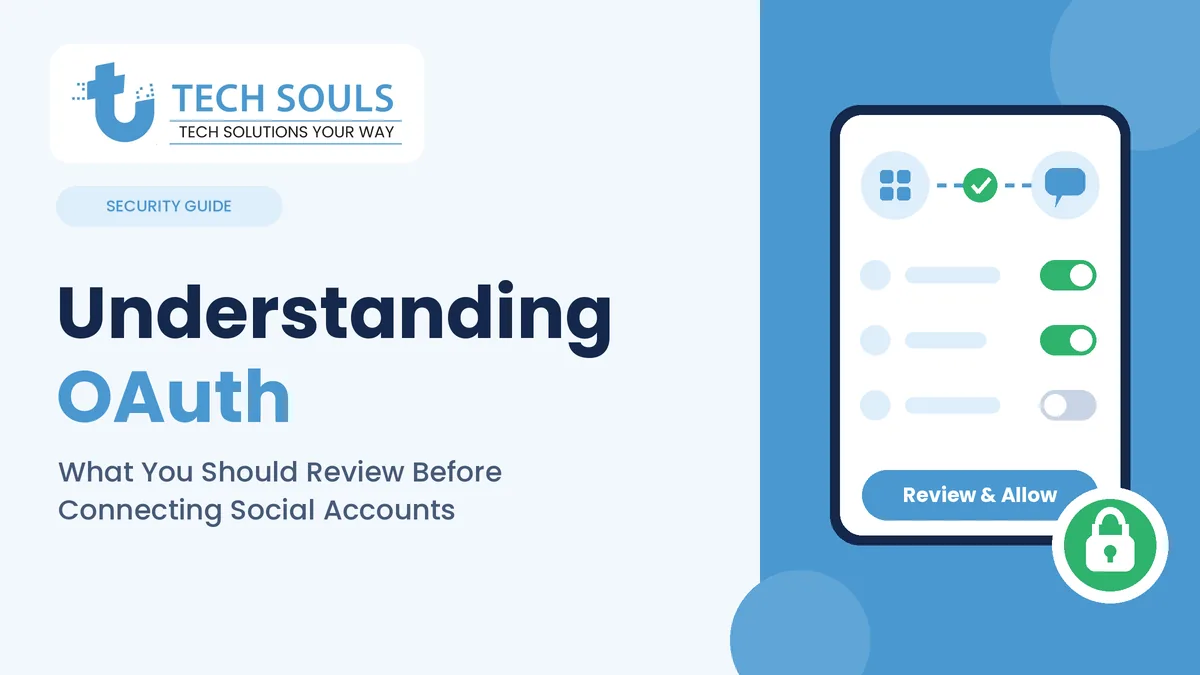
Any tool that posts to your social accounts should connect through OAuth. That’s the official login window each platform provides, where you approve what the tool can do without handing over your password.
Before you approve a connection, check these points:
- The login screen belongs to the platform. The page should be the real Instagram, Facebook, LinkedIn or X login, not a lookalike inside the app.
- The permissions match the job. Scheduling posts requires posting access. It does not require access to private messages.
- You can revoke access. Every major platform lets you remove connected apps in its security or settings page.
- There’s a named company behind it. If you can’t tell who runs the tool, don’t connect business accounts to it.
Warning: If an app asks you to type your social media password directly into its own form, don’t continue. That’s how accounts get taken over.
Is It Safe to Update AlienSync?
Updating is usually safer than staying on an old version, but only for apps from a trusted source. Software updates often patch security flaws, which is why public-sector security agencies such as CISA recommend keeping software current.
That advice comes with a limit. An update from a verified developer protects you. A fake “update” from an unknown website can be the route that malware takes to reach your device.
In short:
- Verified developer + official store: update.
- Unknown developer or no listing: don’t install, and don’t connect accounts.
- Update link from a blog, message or ad: ignore it.
AlienSync vs. Social Tools With Verifiable Update Histories
If your real goal is managing social accounts, compare AlienSync against the standard a trustworthy tool should meet. Use this table as a scorecard for any tool you consider.
| What to check | Unverified tool (like AlienSync today) | Tool you can trust |
| Official website | Missing or unclear | Present, names the company |
| Public changelog | Not found | Dated release notes |
| Store listing | Not confirmed | Official listing with recent updates |
| Developer identity | Unnamed | Named company or team |
| Security page | None found | Published security or trust page |
| Support channel | Unclear | Help center or support email |
| Pricing | Unclear | Published plans |
When a tool fails most rows, look elsewhere. Plenty of established schedulers publish update histories you can read before you commit.
Common Mistakes People Make With App Updates
- Trusting a blog’s “latest version” claim. Always confirm in the official store.
- Downloading APK or installer files from random sites. This is one of the most common ways malware spreads.
- Updating a work device without a backup. Save drafts and settings first.
- Skipping permission prompts. Updates can request new access, so read the screen.
- Never checking who built the app. A real product has a traceable developer.
- Leaving old tools connected. Revoke access for apps you no longer use.
When NOT to Update (or Install)
Hold off if:
- You can’t find the app in an official store
- The developer name is missing, or doesn’t match the website
- The update asks for permissions that don’t fit what the app does
- The only source for the update is a blog, forum post or message link
- You use the device for client or business accounts and have no backup
A Real-World Scenario
Say you manage social accounts for three small clients and see an article claiming AlienSync “now supports faster multi-account scheduling.” The safe path is simple. Search the app in your store. If there’s no listing, no named developer and no release notes, you’ve learned the article can’t be confirmed. You keep your client accounts disconnected and use a tool whose update history you can read. That small check costs ten minutes. Recovering a compromised client account can cost days.
Pro Tips From Working With Software Daily
- Turn on automatic updates only for apps you’ve already verified.
- Keep a short list of every tool connected to your social accounts, and review it every few months.
- Test new tools on a spare, low-stakes account first.
- Screenshot the store listing and permissions before you update, so you can compare afterwards.
- If a tool can’t tell you who built it, don’t link business accounts to it.
Frequently Asked Questions
What are the latest AlienSync app updates?
No official release notes were publicly verifiable at the time of writing. Check the developer’s own listing and the in-app version information instead of relying on blog summaries.
How do I update AlienSync?
If the app appears in the Google Play Store or Apple App Store, update it there. For desktop software, use only the vendor’s built-in updater or official site.
Is the latest AlienSync update safe?
That depends entirely on the source. Updates from an official store listing with a named developer are generally safe. Files from unofficial websites are not.
Does AlienSync have a changelog?
I couldn’t find a public one. If you locate an official changelog, check that it lists version numbers and dates.
Is AlienSync available on Android and iOS?
Articles claim cross-platform support, but I couldn’t confirm official listings. Search your store and check the developer name yourself.
Why do articles describe AlienSync features so confidently?
Many pages are written to match search demand rather than from hands-on testing, which is why they stay generic.
What should I do if AlienSync asks for my social media password?
Stop. Reputable tools connect through each platform’s official login screen and never collect your password directly.
What are good alternatives to AlienSync?
Choose social media management tools with a public changelog, a named company and recent store updates.
Key Takeaways
- No verified official AlienSync changelog was found as of October 2026.
- Generic update articles often lack version numbers, dates and sources.
- Confirm any app in an official store before installing or updating.
- Never download installers from unofficial websites.
- Connect social accounts only through official OAuth screens and only to tools with a traceable developer.
Conclusion
AlienSync app updates are discussed often but documented very little. Until an official source appears, the smart move is to verify first: check the store listing, the developer and the release notes, and update only through official channels.
For the same approach applied to other unverified software, read our guides on verifying Dowsstrike2045 Python before installing it and how much Mogothrow77 software is open source. You can also browse more guides on the TechSouls blog.
Need a website, app or SEO help for your business? TechSouls builds custom websites, Shopify and WordPress stores, mobile apps and SEO strategies for growing brands.