Web3 iOS App Development: How to Build a Powerful Blockchain App for iPhone (2026 Guide)
Adding a wallet, an NFT or a stablecoin payment to an iPhone app sounds simple until the details arrive. Which SDK still gets updates? Will Apple approve it? Do users have to buy crypto first?
This guide covers how Web3 iOS app development works in 2026: the tools worth using, a seven-step build path with Swift code, Apple's rules for crypto apps, and realistic costs.
Quick answer: Web3 iOS app development is building iPhone and iPad apps that let users sign in, hold assets and take actions on a blockchain through a crypto wallet. A typical 2026 stack pairs Swift and SwiftUI with a wallet SDK such as Reown AppKit or an embedded wallet, an RPC provider like Alchemy, and audited smart contracts.
Key takeaways
- Consumer Web3 apps usually launch on an Ethereum layer 2 such as Base or Arbitrum, where fees are far lower.
- Embedded wallets, passkeys and sponsored gas remove seed phrases and gas tokens from onboarding.
- Apple allows wallets and NFT features, within firm limits set by Guidelines 3.1.1 and 3.1.5.
- Install Web3 SDKs with Swift Package Manager; CocoaPods stops accepting new releases in December 2026.
- Budget for audits: about $5,000 for a simple token and 25,000–100,000 for most DeFi.
What Is Web3 iOS App Development?
A Web3 iOS app is a native Apple app whose key actions, such as logging in, paying or owning something, are signed by a wallet the user controls and recorded on a blockchain. In a regular app, your server decides those things.
Only the parts that benefit from a shared, tamper-proof record go on-chain. Your SwiftUI screens, notifications and most user data work as usual.
Four terms you'll see throughout:
- Wallet: holds a user's private keys and signs transactions, either as a separate app or embedded in yours.
- Smart contract: a program on a blockchain that holds shared rules, such as who owns a ticket.
- Gas: the network fee for processing a transaction.
- RPC provider: a service such as Alchemy or Infura that reads the chain and broadcasts transactions.
Web3 iOS App vs Traditional iOS App
| Traditional iOS app | Web3 iOS app | |
| Sign-in | Email, password, Sign in with Apple | Wallet signature, or email or passkey tied to an embedded wallet |
| Asset ownership | Company database | User's wallet, recorded on-chain |
| Business logic | Your backend | Smart contracts plus your backend |
| Data privacy | Private by default | On-chain data is public and permanent |
| Fixing bugs | Ship an update | Contracts need upgrade patterns or redeployment |
| App Review | Standard rules | Extra rules for wallets, exchanges and NFTs |
Most successful products are hybrids: profiles and content stay off-chain, and the blockchain handles ownership or payments.
How a Web3 iPhone App Works
A Web3 iPhone app has four layers: your app, a wallet that signs, an RPC provider that relays, and the blockchain. Only the wallet can authorize anything.
[embed: node/590df5c1-b5c9]
Read it top to bottom: your app asks, the wallet signs, the RPC provider relays, and the blockchain records. The boxes on the right are optional services.
The wallet layer
The wallet holds the private key and signs only after the user approves. It's either an external app like MetaMask, or an embedded wallet created inside your app at sign-up.
The blockchain and RPC layer
Your app sends JSON-RPC requests through a provider such as Alchemy, Infura or QuickNode. The provider returns data and broadcasts transactions the wallet has already signed.
Smart contracts, indexers and storage
Contracts hold the shared rules, written in Solidity for Ethereum-compatible chains or Rust for Solana. Indexers like The Graph serve history quickly, oracles like Chainlink bring in outside data, and IPFS or Arweave store large files.
Most products still need a normal backend for notifications, caching and Sign-In with Ethereum (EIP-4361) sessions. If you also need a web dashboard, plan it alongside the iOS build.
How Users Connect a Wallet: 4 Options
The wallet model is the biggest product decision in Web3 mobile app development. It decides whether a new user sees a sign-up screen or a “Which wallet do you use?” prompt.
| Option | Best for | Trade-off | Example SDKs |
| External wallet, connected over WalletConnect | Crypto-native users, DeFi | App switching; users need a wallet already | Reown AppKit (formerly WalletConnect) |
| Embedded wallet, created at sign-up with email or social login | Mainstream consumers, loyalty, games | Provider dependence; per-user fees | Privy, MetaMask Embedded Wallets (formerly Web3Auth), Dynamic, Turnkey |
| Smart account controlled by a passkey | Seedless sign-in with recovery | Newer tooling; one more contract to trust | Smart-account features in Reown, Privy and similar kits |
| Your own wallet | Companies whose product is the wallet | Heaviest security and compliance load | Swift Ethereum libraries plus your own key management |
Pro tip: Make an embedded wallet the default, and add a small “Connect an existing wallet” link for crypto-native users.
Passkeys and Face ID instead of seed phrases
iPhone passkeys use P-256 keys protected by the Secure Enclave, while standard Ethereum accounts use secp256k1, which the enclave can't hold. Ethereum's Fusaka upgrade on December 3, 2025 closed that gap. Its EIP-7951 added a P-256 verifier at address 0x100 costing 3,450 gas, matching what several layer 2s already offered. A smart account can now accept a Face ID-backed signature cheaply.
Smart accounts and gas sponsorship
ERC-4337 smart accounts let an app pay gas for users through “paymasters”. EIP-7702, live since the Pectra upgrade on May 7, 2025, gives existing wallet addresses the same features (Consensys explains how). Users don't need ETH for their first action, multi-step actions become one tap, and games can use session keys instead of constant signing prompts.
Best Tools and SDKs for Web3 iOS Development in 2026
Choose SDKs on maintenance as much as features, because several Swift libraries that older guides recommend have gone quiet. Status as of October 2026:
| Tool | Use | iOS support | Status |
| Reown AppKit | Connect 600+ wallets; email login, smart accounts, Solana | Native Swift package | Active |
| Privy | Embedded wallets for Ethereum and Solana | Native Swift SDK, iOS 17+ | Active; acquired by Stripe in June 2025 |
| MetaMask Embedded Wallets | Social-login wallets (formerly Web3Auth) | Native Swift SDK, iOS 14+ | Active |
| MetaMask Connect | Connect to MetaMask | Deeplinks to MetaMask Mobile | Replaces the legacy MetaMask SDK |
| web3.swift (Argent) | JSON-RPC, ABI encoding, ENS | Swift package | Repository active in 2026 |
| web3swift | Contract calls, keystore | Swift package | Last release April 2024 |
| Web3.swift (Boilertalk) | Signing, contract calls | Swift package | Last code push August 2024 |
| Alchemy, Infura, QuickNode | RPC access | Any HTTP client | Free development tiers |
| Foundry, Hardhat, OpenZeppelin | Contract development and audited templates | Desktop toolchain | Industry standard |
Swift and SwiftUI give the cleanest access to Face ID, the Keychain and Universal Links, though some teams pick React Native or Flutter to share code with Android. You may not need a Swift Ethereum library at all: wallet SDKs sign and send, and plain JSON-RPC handles reads.
Warning: CocoaPods is freezing. CocoaPods trunk becomes read-only in December 2026, and Firebase stopped publishing there in October 2026. Add every Web3 SDK through Swift Package Manager.
Building for Solana on iOS
iOS suspends background apps, so Solana's Mobile Wallet Adapter can't keep a persistent connection there. Use Phantom's deeplinks, Reown AppKit's Solana support, or an embedded wallet such as Privy.
How to Build a Web3 iOS App in 7 Steps
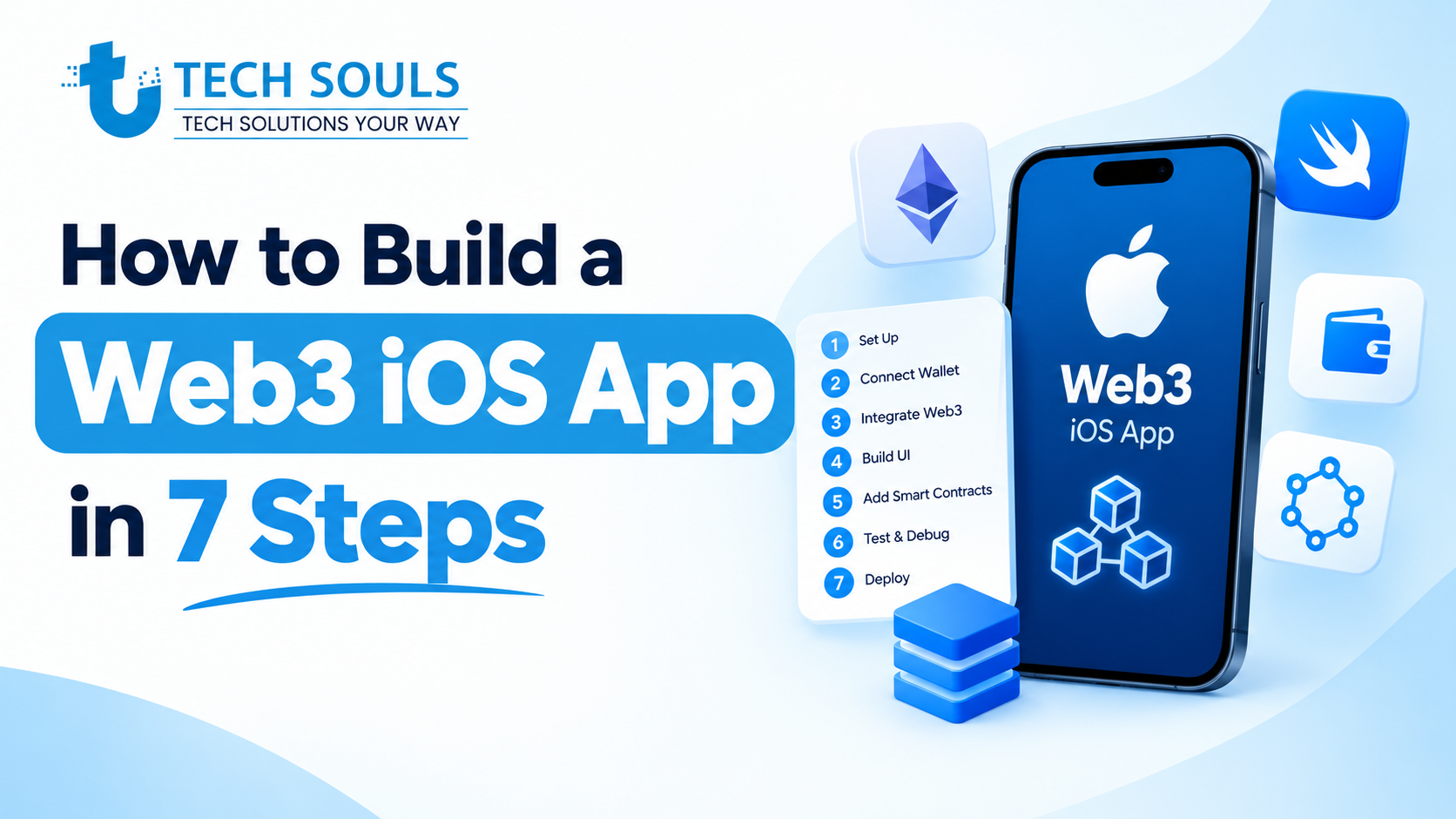
Here's a practical build path, using a coffee-chain loyalty app that issues reward points as tokens on Base as the example.
Step 1: Decide what truly needs to be on-chain
Go on-chain only for public verification, user ownership or programmable money. Here, the points balance is a token; profiles, orders and menus stay in your database. This one decision cuts cost, risk and App Review friction more than any other.
Step 2: Choose a blockchain network
| Network | Good fit | Watch out for |
| Ethereum layer 2 (Base, Arbitrum, Optimism) | Default for consumer apps: low fees, Ethereum tooling | Users' funds may sit on another chain |
| Ethereum mainnet | High-value assets and settlement | Higher fees |
| Solana | High-throughput payments and games | Rust programs; fewer iOS wallet options |
| Polygon PoS | Low-fee brand programs | A different security model from rollups |
Step 3: Pick a wallet model
For mainstream users, choose an embedded wallet with sponsored gas. For crypto-native users, use Reown AppKit. Serving both? Default to embedded and offer “connect a wallet” as a second option.
Step 4: Write, test and audit smart contracts
Start from OpenZeppelin's standard contracts, test with Foundry (including fuzz tests), deploy to a testnet such as Base Sepolia, and get an external audit before mainnet.
Warning: Deployed contract code can't be edited. Upgradeable proxies let you swap logic, but whoever holds the upgrade key can change the rules, so keep it in a multisig with a time delay.
Step 5: Integrate the blockchain in Swift
These snippets are deliberately short. The first is adapted from Reown's iOS docs as of October 2026; check the current docs before copying, because SDK parameters change between versions.
Connect a wallet
import ReownAppKit
// Run once at launch, after configuring Reown's Networking client.
let metadata = AppMetadata(
name: "Brew Rewards",
description: "Coffee loyalty points on Base",
url: "https://example.com",
icons: ["https://example.com/icon.png"]
)
AppKit.configure(projectId: "YOUR_REOWN_PROJECT_ID", metadata: metadata)
// Show Reown's connect sheet from your own button,
// or drop AppKitButton() into a SwiftUI view.
AppKit.present()
Read on-chain data
Reads need no wallet, so plain URLSession against any JSON-RPC endpoint works:
import Foundation
import BigInt // github.com/attaswift/BigInt, added with Swift Package Manager
struct RPCResponse: Decodable { let result: String }
/// Returns an address's ETH balance in wei from any JSON-RPC endpoint.
func balanceInWei(of address: String, rpcURL: URL) async throws -> BigUInt {
var request = URLRequest(url: rpcURL)
request.httpMethod = "POST"
request.setValue("application/json", forHTTPHeaderField: "Content-Type")
request.httpBody = try JSONSerialization.data(withJSONObject: [
"jsonrpc": "2.0", "id": 1,
"method": "eth_getBalance",
"params": [address, "latest"]
])
let (data, _) = try await URLSession.shared.data(for: request)
let hex = try JSONDecoder().decode(RPCResponse.self, from: data).result
return BigUInt(hex.dropFirst(2), radix: 16) ?? 0
}
Send a transaction or call a contract
Writes always go through the wallet. Reown AppKit, Privy and other EIP-1193-style providers accept the same eth_sendTransaction request:
// The wallet shows this to the user, who approves with Face ID.
// The SDK returns the transaction hash.
let tx: [String: String] = [
"from": userAddress,
"to": rewardsContractAddress,
"data": redeemCallData, // ABI-encoded call, built with a library like web3.swift
"value": "0x0",
"chainId": "0x14a34" // Base Sepolia (84532)
]
Pro tip: Describe each approval in plain words, like “Redeem 50 points for a free latte”, and use EIP-712 typed data for off-chain signatures. Never ask anyone to sign raw hex.
Step 6: Test on testnet, real devices and TestFlight
Use faucet tokens on a testnet, then test on physical iPhones; the simulator won't show real wallet app switching, Face ID or Universal Link returns. Cover the unhappy paths: no wallet installed, a rejected signature, a pending or failed transaction, the wrong network and a dropped connection.
Step 7: Submit to the App Store and monitor
Explain each crypto feature in your App Review notes and include a demo account funded on testnet. After launch, track wallet connection success, failed transactions and RPC errors, and alert on any admin action on your contracts. Pair the launch with App Store optimization so the right users find the app.
App Store Rules for Crypto, NFT and Web3 Apps
Apple allows Web3 apps, but two parts of the App Store Review Guidelines set firm limits: 3.1.5 for cryptocurrency and 3.1.1 for in-app purchases, including NFTs. Re-check the live text before you submit.
| Guideline | Rule, in short | What to do |
| 3.1.5(i) Wallets | Only from developers enrolled as an organization | Enroll as an organization |
| 3.1.5(ii) Mining | No on-device mining | Keep mining off-device |
| 3.1.5(iii) Exchanges | Only where the app is licensed | Limit availability to licensed regions |
| 3.1.5(iv) Token sales | ICOs and crypto futures only from approved financial institutions | Leave them out unless you're regulated |
| 3.1.5(v) Rewards | No crypto for tasks such as installs or social posts | Don't pay tokens for installs or referrals |
| 3.1.1 Unlocking | Crypto can't unlock content or features | Sell digital features with in-app purchase |
| 3.1.1 NFTs | NFT services use in-app purchase; owned NFTs can be shown but can't unlock features | Treat NFTs as display items |
One rule catches agencies. Apple's rejection notices say exchange-style apps must be published from the institution's own developer account, and a permission letter doesn't fix that. If you build for a client, submit from their account.
NFTs and US external purchase links
Apple added its NFT wording in 2022. Apps can show NFT collections, but they can't steer users to purchase methods other than in-app purchase, and an NFT can't grant in-app abilities. On the US storefront, the Epic v. Apple rulings currently let apps link to external purchases. As of October 2026, the commission Apple may charge is still in court, and the Supreme Court has agreed to review the contempt finding (Courthouse News).
Pre-submission checklist
- Published from the business's own organization developer account
- Licensing ready for any exchange-like feature, with availability limited to licensed regions
- Nothing unlocked by holding a token or NFT
- No crypto paid for installs, referrals or posts
- A privacy-focused login such as Sign in with Apple offered alongside Google or other third-party logins (Guideline 4.8)
- App Privacy details include wallet addresses
- Review notes explain crypto features and include a testnet demo account
Web3 App Security Best Practices
In Web3, a security mistake usually means stolen funds that can't be recovered. Treat this as the minimum before mainnet:
- Keep keys in the Keychain with device-only access, never in UserDefaults, files or logs.
- The Secure Enclave holds only P-256 keys, so use it to protect a wallet key, or use a passkey smart account.
- Show readable summaries of every transaction and EIP-712 signature.
- Simulate transactions before asking for a signature.
- Allowlist the contracts and chain IDs your app calls.
- Keep admin and upgrade keys in a multisig such as Safe, behind a time delay.
- Audit before mainnet and after major changes.
- Restrict or proxy any RPC key that ships in the app, since anyone can extract it.
- Use Sign-In with Ethereum (EIP-4361) with one-time nonces for backend sessions.
Warning: signature phishing. Many wallet drains use an innocent-looking approval, such as an unlimited token “permit” or an NFT “approve all”, rather than a transaction. Never request unlimited approvals, and show users where to revoke them.
How Much Does Web3 iOS App Development Cost in 2026?
Expect roughly 30,000–95,000 for a lean MVP and $150,000 or more for a DeFi app or wallet, plus audits. These are planning estimates; the assumptions are below so you can adjust them.
| Project type | Scope | Timeline | Build (estimate) | Audit (estimate) |
| Wallet-connected MVP | Wallet, balances, token-gated content or a simple mint on a layer 2 | 2–3 months | 30K–95K | 5K–20K |
| NFT, ticketing or loyalty app | Embedded wallets, sponsored gas, minting or rewards contracts, indexer, admin panel | 4–6 months | 75K–240K | 15K–40K |
| DeFi app or self-custody wallet | Custom contracts, integrations, several chains | 6–12 months | 150K–540K | 25K–100K+ |
Assumptions: 500–800, 1,200–2,000 and 2,500–4,500 team hours at a blended 60–120 an hour. The median US software developer earned $135,980 in May 2025, about $65 an hour before overhead, so US-only agencies usually bill more. Audit ranges follow Sherlock's 2026 market reference; each re-audit round adds 5,000–20,000, and the middle tier is our estimate between its token and DeFi bands.
What drives cost: the wallet model, the number and complexity of contracts (non-EVM audits usually cost more), each extra chain, backend and indexing work, and legal review for anything touching custody or payments.
Ongoing costs: the Apple Developer Program ($99 a year), RPC and embedded-wallet plans that grow with users, sponsored gas, re-audits, and SDK and iOS updates. A common rule of thumb is 15–20% of the build cost each year.
Challenges of Web3 Mobile App Development (and When to Skip Web3)
The hard parts are rarely the code. They're onboarding, regulation and the permanence of on-chain data.
Onboarding friction
Seed phrases, gas tokens and app switching lose users at the first screen. Embedded wallets, passkeys and sponsored gas fix most of that, but they shift some trust to your wallet provider, so read its key-management docs.
US regulatory uncertainty
The GENIUS Act, signed in July 2025, created federal rules for payment stablecoins. The broader CLARITY Act passed the House in July 2025 but failed a Senate cloture vote on September 15, 2026, so the SEC and CFTC still set most rules. Apps that hold or move user funds may face money transmission rules; non-custodial apps usually face fewer. This isn't legal advice, so talk to a lawyer before launch.
When a regular backend is the better choice
Leave Web3 out of version one if nothing needs user ownership or public verification, if you must delete user data on request, if users won't accept any crypto step, or if revenue depends on tokens unlocking features. And when choosing an app development company for a Web3 build, ask to see shipped wallet flows and audit reports, not just a pitch deck.
Real-World Use Cases for Web3 iPhone Apps
The strongest iOS decentralized applications give the blockchain one clear job:
- Loyalty and rewards: points as layer 2 tokens, email sign-in and sponsored gas.
- Event tickets: NFT tickets with resale rules written into the contract.
- Portfolio trackers: read-only apps that need no signing, which keeps review risk low.
- Stablecoin payments: for real-world goods, services and transfers; digital content still uses in-app purchase.
- Collectibles and credentials: shown in the app as display items, never as feature unlocks.
Embedded wallets already power well-known products. OpenSea, for example, uses Privy so buyers don't need a separate wallet app.
Common Mistakes to Avoid
- Putting everything on-chain.
- Leading with a seed phrase for mainstream users.
- Building on a Swift library without checking its last release.
- Testing wallet flows only in the simulator.
- Letting tokens or NFTs unlock features (Guideline 3.1.1).
- Submitting a wallet or exchange app from the wrong developer account.
- Skipping the audit or the admin-key plan.
FAQs About Web3 iOS App Development
Do users need crypto to use a Web3 iOS app?
No. An embedded wallet is created when people sign in with email, Apple, Google or a passkey. If your app sponsors gas through ERC-4337 or EIP-7702, they never buy a gas token. They need crypto only to hold or send assets themselves.
Does Apple allow crypto wallet apps on the App Store?
Yes. Guideline 3.1.5 allows wallets from developers enrolled as an organization, and exchange features only where the app is licensed. Apple doesn't allow on-device mining, crypto rewards for tasks, or token sales from unregulated firms.
Can an NFT unlock features in an iOS app?
No. Guideline 3.1.1 lets users view NFTs they own, but ownership can't unlock features. NFT services such as minting go through in-app purchase, although US storefront apps can currently link to external purchases while Epic v. Apple continues.
What is the best Web3 SDK for Swift?
It depends on your users. Reown AppKit suits crypto-native users who already have wallets. Embedded-wallet SDKs such as Privy or MetaMask Embedded Wallets suit mainstream users. Add a maintained library such as Argent's web3.swift for contract calls.
Can I build a Solana app for iPhone?
Yes. Solana's Mobile Wallet Adapter can't hold a background connection on iOS, so use Phantom's deeplinks, Reown AppKit's Solana support, or a Solana-capable embedded wallet such as Privy. Your Solana programs stay the same on every platform.
Can Face ID or passkeys replace seed phrases?
Yes. iPhone passkeys sign with P-256 keys from the Secure Enclave. Since Ethereum's Fusaka upgrade on December 3, 2025, EIP-7951 lets contracts verify them cheaply on mainnet. A smart account can then treat Face ID as the user's key, with recovery designed in.
How much does it cost to build a Web3 iOS app?
Plan for about 30,000–95,000 for a lean MVP, 75,000–240,000 for an NFT or loyalty app, and $150,000 or more for DeFi or a wallet. Audits are extra, from about $5,000 for a simple token to $100,000 or more for complex DeFi.
How long does Web3 iOS app development take?
A focused MVP takes about 2–3 months, an NFT or loyalty app 4–6 months, and a DeFi app or wallet 6–12 months. Audits add anything from a few days for a simple token to several weeks for DeFi, plus time to fix findings.
Final Thoughts
Passkeys, embedded wallets and sponsored gas have made Web3 iPhone apps far more practical: users can own on-chain assets without ever seeing a seed phrase. What still matters is discipline. Put little on-chain, audit what you do put there, and design around Apple's rules from day one.
Planning a Web3 feature for an iPhone app? At TechSouls, we build web and mobile apps, and we can help you scope the chain, wallet model and budget before you commit to a full build.
Sources
- Apple App Store Review Guidelines
- Apple: App Store Review Guideline updates (NFTs and exchanges)
- Apple Developer Forums: Guideline 3.1.5 rejection
- Reown AppKit for iOS: installation
- Privy Swift SDK: installation
- MetaMask Embedded Wallets SDK for iOS
- MetaMask Connect overview
- Phantom deeplinks
- Solana Mobile: wallet signing on iOS
- EIP-7951: precompile for secp256r1 curve support
- Consensys: EIP-7702 and account abstraction
- Firebase: CocoaPods deprecation
- web3swift on Swift Package Registry
- US Bureau of Labor Statistics: Software Developers
- Sherlock: Smart Contract Audit Pricing 2026
- Courthouse News: Epic v. Apple commission case
- Bitcoin.com News: CLARITY Act cloture vote
- SiliconANGLE: Stripe acquires Privy