Best Internet Setup for Gamers: Low Ping & Stable Speed
If you want the fastest internet setup for gamers, don't focus only on getting the highest download speed. The best gaming connection combines low latency, minimal jitter, little or no packet loss, stable bandwidth, and a reliable connection between your gaming device and router. For most gamers, the ideal setup is fiber internet connected through Ethernet to a capable router. However, the right setup depends on your home, ISP, gaming device, and how many people use the network.
Quick Answer: What Is the Fastest Internet Setup for Gaming?
The best internet setup for gaming is usually:
- Fiber internet, where available
- Ethernet connection between your gaming PC or console and router
- A capable modern router with effective traffic management
- Low latency and jitter
- Minimal packet loss
- Enough bandwidth for everyone using the network
- A nearby game server whenever possible
A 1 Gbps internet plan can still provide a poor gaming experience if you have high ping, packet loss, Wi-Fi interference, or congestion. Meanwhile, a lower-speed connection can deliver excellent gaming performance when it is stable and has low latency.
What Makes an Internet Connection Good for Gaming?
Many people assume gaming requires the fastest internet plan available. In reality, online gaming depends on several different network performance metrics.
Download Speed
Download speed determines how quickly data can reach your home.
It matters most for:
- Downloading games
- Installing updates
- Streaming video
- Multiple people using the internet simultaneously
However, normal online gameplay often does not require an extremely high download speed. A connection with massive bandwidth can still feel slow during gaming if its latency or packet loss is poor.
Upload Speed
Upload speed matters when your device sends data to the game server.
It becomes especially important for:
- Live streaming
- Uploading videos
- Cloud backups
- Video calls while gaming
- Households with multiple users
For ordinary online gaming, you typically do not need an enormous upload connection. But a stable upload connection is important, particularly for streamers and households that regularly send large amounts of data.
Ping and Latency
Latency is the time it takes for data to travel between your device and another network destination. Ping is commonly used to measure this delay in milliseconds (ms).
Lower latency generally means a more responsive gaming experience.
Ping
General gaming experience
| Under 20 ms | Excellent where achievable |
| 20–50 ms | Very good for most games |
| 50–100 ms | Usually playable |
| 100–150 ms | Noticeable delay |
| 150 ms+ | Often problematic for competitive gaming |
These are general guidelines rather than strict rules. The acceptable ping depends on the game, server location, and type of gameplay.
A competitive shooter may feel noticeably different at 100 ms compared with 30 ms. A slower-paced strategy game may be much more forgiving.
Jitter
Jitter is the variation in latency over time.
For example, imagine two connections:
- Connection A: 40 ms, 41 ms, 39 ms, 42 ms
- Connection B: 20 ms, 120 ms, 45 ms, 180 ms
Connection A may feel significantly better despite having a higher average ping.
High jitter can cause:
- Unpredictable movement
- Delayed actions
- Rubber-banding
- Inconsistent hit registration
Packet Loss
Packet loss occurs when data packets fail to reach their destination.
Even a fast internet connection can provide a terrible gaming experience if packets are regularly lost.
Common symptoms include:
- Characters suddenly moving backward
- Delayed actions
- Players teleporting
- Disconnections
- Voice chat cutting out
If you experience packet loss, upgrading from 300 Mbps to 1 Gbps may not solve the actual problem.
Bufferbloat
Bufferbloat is a common reason gamers experience lag while someone else is using the internet heavily.
For example:
- You have a 1 Gbps connection.
- Someone starts uploading a large video.
- Another person begins downloading a large game.
- Your ping suddenly increases dramatically.
The problem may not be insufficient download speed. It may be congestion and excessive queueing delay.
This is why effective traffic management, including technologies such as Smart Queue Management (SQM) on compatible networking equipment, can be useful in certain home networks.
How Much Internet Speed Do Gamers Actually Need?
There is no single speed requirement that works for every household.
The right plan depends on:
- Number of users
- Number of gaming devices
- Streaming
- Downloads
- Video calls
- Cloud backups
- Number of simultaneous activities
Gaming situation
Practical connection target
| One casual gamer | 25–100 Mbps |
| One gamer plus normal household use | 100–300 Mbps |
| Multiple gamers | 300 Mbps or more |
| Gaming plus heavy streaming and downloads | 500 Mbps–1 Gbps or more |
These are practical planning ranges, not universal minimum requirements.
A single gamer may have an excellent experience on a relatively modest connection if the network is stable. On the other hand, a family with several gamers, 4K streaming, cloud backups, and large downloads may benefit from a much faster plan.
Important: Gaming Bandwidth Is Not the Same as Game Download Speed
Downloading a modern game can require tens or hundreds of gigabytes. That is where high download speed makes a major difference.
Actual gameplay is a different situation.
The important question is not simply:
“How many Mbps does gaming use?”
The better question is:
“Can my network consistently deliver data with low delay and minimal loss while other people are using the connection?”
Fiber vs Cable vs 5G vs Satellite for Gaming
The internet technology reaching your home can significantly affect your gaming experience.
Connection type
Gaming potential
Main advantage
Main concern
| Fiber | Excellent | High stability and low latency potential | Availability |
| Cable | Very good | Fast and widely available | Local congestion |
| 5G home internet | Variable | Wireless convenience and good speeds | Signal and network conditions |
| Satellite | Usually less ideal for competitive gaming | Broad geographic availability | High latency |
Fiber Internet for Gaming
Fiber is often the preferred option for gamers because it can provide:
- High download speeds
- Strong upload performance
- Low latency potential
- Good stability
However, fiber is not automatically perfect.
Your actual gaming experience still depends on:
- ISP routing
- Game server location
- Your home network
- Router configuration
- Ethernet or Wi-Fi
- Congestion
A poor route to a distant game server can still result in high ping even when your local fiber connection is excellent.
Cable Internet for Gaming
Cable internet can also be excellent for gaming.
A good cable connection with Ethernet may provide very good latency and stability. However, performance can vary depending on local network congestion and the ISP's infrastructure.
5G Home Internet for Gaming
5G home internet can work well for some gamers, especially where the signal and network conditions are strong.
Performance can vary based on:
- Distance from the cell site
- Signal strength
- Network congestion
- Indoor building materials
- ISP network management
It is worth testing actual ping and packet loss rather than choosing it based only on advertised download speed.
Satellite Internet for Gaming
Traditional satellite internet is generally less suitable for fast-paced competitive gaming because the physical distance involved can create substantially higher latency.
It may still be useful for users who have few alternatives, but it is usually not the first choice for latency-sensitive gaming.
Ethernet vs Wi-Fi for Gaming
Is Ethernet Better Than Wi-Fi for Gaming?
In many situations, yes.
A wired Ethernet connection usually provides:
- More consistent latency
- Less wireless interference
- Stable throughput
- Lower variation in performance
For a stationary gaming PC or console, Ethernet is often the simplest way to remove Wi-Fi as a potential source of problems.
Ideal Setup
Internet Service Provider
↓
Fiber / Cable / 5G
↓
Modem / ONT
↓
Router
↓
Ethernet
↓
PC or Console
When Wi-Fi Is Good Enough
Wi-Fi can provide excellent gaming performance when:
- The router is reasonably close.
- Signal strength is strong.
- There is limited interference.
- The router is modern.
- The gaming device supports the relevant Wi-Fi standard.
- The network is not overloaded.
It is particularly convenient for:
- Gaming laptops
- Mobile devices
- Consoles located far from the router
- Homes where running Ethernet is impractical
Wi-Fi 6 for Gaming
Wi-Fi 6 can improve wireless network efficiency, especially in homes with many connected devices.
Its performance mainly depends on:
- A compatible router
- A compatible gaming device
- Signal quality
- Network interference
- Distance
However, simply buying a Wi-Fi 6 router does not guarantee lower ping.
Wi-Fi 7 for Gaming
Wi-Fi 7 is designed to improve wireless performance by offering higher potential throughput and advanced multi-link capabilities on compatible hardware.
To achieve these benefits, you need:
- Wi-Fi 7 router support
- Client-device support
- Available spectrum
- Distance
- Interference
- Local regulations
- Proper network design
Even so, a Wi-Fi 7 router will not automatically make a distant or poorly positioned gaming device perform like an Ethernet-connected device.
The Ideal Gaming Internet Setup
Step 1: Choose a Reliable Internet Connection
If fiber is available at a reasonable price and provides good local performance, it is often an excellent starting point.
But do not choose an ISP based only on its advertised Mbps.
Also consider:
- Typical latency
- Upload performance
- Reliability
- Local congestion
- Customer reviews from your area
- Server routing
The best ISP can vary significantly between locations.
Step 2: Use the Correct Modem or ONT
Fiber connections commonly use an Optical Network Terminal (ONT), while cable services generally use a modem.
The device provided by your ISP may be perfectly adequate. However, advanced users may prefer more control over their own networking equipment when the ISP allows it.
Step 3: Choose a Capable Router
A good gaming router should not be selected simply because it has the word “gaming” on the box.
Look for features such as:
- Reliable hardware
- Strong wireless performance
- Firmware updates
- Traffic management
- Quality of Service (QoS)
- Bufferbloat management
- Good coverage
The most expensive router is not necessarily the best choice.
Step 4: Connect Your Gaming Device
For a desktop PC or console that stays in one place:
Ethernet is usually the first connection method to try.
For a laptop or device that must use Wi-Fi:
- Position the router appropriately.
- Avoid unnecessary obstacles.
- Reduce interference.
- Use a modern compatible Wi-Fi standard.
- Avoid connecting through an overloaded extender when possible.
Step 5: Manage Network Congestion
If gaming becomes laggy whenever another person starts a large download or upload, investigate congestion.
Possible solutions may include:
- Traffic management
- SQM on supported routers
- Limiting background downloads
- Scheduling large transfers
- Upgrading network hardware when the current equipment is the bottleneck
Best Router Settings for Gaming
Quality of Service (QoS)
QoS can help prioritize certain types of traffic.
However, QoS is not magic.
Its effectiveness depends on:
- Router implementation
- Configuration
- Connection type
- Network traffic patterns
Smart Queue Management
SQM can help control queueing delay in certain network environments.
This is particularly relevant when:
Your internet feels fine when nobody else is using it, but your ping becomes extremely high during heavy downloads or uploads.
Firmware Updates
Keep router firmware updated when practical.
Updates may include:
- Security patches
- Stability improvements
- Bug fixes
- Performance improvements
Port Forwarding: When Does It Help?
Port forwarding is often misunderstood.
It may help with specific connectivity or NAT-related problems in some games. However:
Port forwarding is not a general-purpose method for reducing your ping.
It does not eliminate the physical distance between your home and a game server.
Do not enable random ports without understanding what they are for.
Does DNS Reduce Gaming Ping?
Changing DNS servers may affect how quickly a domain name is resolved.
However, once your game has established a connection to a server, changing DNS does not normally transform the actual network latency of that game session.
Therefore, switching DNS should not be treated as a guaranteed gaming ping optimization.
How to Reduce Ping While Gaming
1. Choose a Nearby Game Server
Server distance is one of the biggest factors affecting latency.
If a game allows you to choose a region, selecting a geographically closer server may reduce ping.
However, the physically closest server is not always the fastest route because ISP routing also matters.
2. Use Ethernet Where Practical
If your gaming device is close enough to your router, Ethernet is one of the simplest ways to remove wireless interference from the equation.
3. Stop Heavy Background Traffic
Pause or schedule:
- Game downloads
- Cloud backups
- Large uploads
- Operating system updates
- Video uploads
4. Test During Different Times
If your connection performs well at 3 a.m. but poorly during peak evening hours, congestion may be involved.
Record:
- Ping
- Jitter
- Packet loss
- Download speed
- Upload speed
at different times.
5. Check Whether Wi-Fi Is the Problem
Test the same gaming device with Ethernet if possible.
If the problem disappears on Ethernet, investigate:
- Wi-Fi signal
- Interference
- Router placement
- Wireless congestion
- Mesh backhaul
6. Investigate Packet Loss
High ping and packet loss are different problems.
A connection can have acceptable ping but still feel terrible because packets are regularly being lost.
7. Do Not Assume a VPN Will Reduce Ping
A VPN can sometimes improve routing in specific circumstances.
It can also add extra distance and increase latency.
The only reliable approach is to test the actual route and compare performance.
How to Fix Gaming Lag
Problem: You Lag in Every Game
Investigate:
- Ethernet versus Wi-Fi
- Packet loss
- Router performance
- ISP congestion
- Network congestion
- Hardware issues
Problem: Only One Game Lags
The issue may be related to:
- That game's servers
- Server location
- Game-specific routing
- Server-side problems
If every other game performs normally, immediately upgrading your internet plan may not solve the problem.
Problem: Lag Happens During Downloads
This strongly suggests a possible congestion or bufferbloat issue.
Try:
- Pausing large downloads
- Enabling suitable traffic management
- Testing loaded latency
- Checking whether the router supports SQM
Problem: Lag Happens Only on Wi-Fi
Try:
- Moving closer to the router
- Testing Ethernet
- Changing the Wi-Fi environment
- Reducing interference
- Using a better wireless access point
- Improving mesh backhaul
Problem: You Experience Random Disconnections
Investigate:
- ISP reliability
- Modem or ONT logs
- Router stability
- Cable connections
- Wi-Fi signal
- Hardware overheating
Best Internet Setup for Different Types of Gamers
Competitive FPS Gamer
Prioritize:
- Ethernet
- Stable low latency
- Low jitter
- Minimal packet loss
- Reliable ISP routing
A 10 Gbps connection is not automatically better than a stable 300 Mbps connection with excellent latency.
Console Gamer
A strong setup could be:
Reliable ISP → modern router → Ethernet to console
If Ethernet is impractical, strong Wi-Fi with a good signal may also work very well.
Streamer
A streamer should pay particular attention to:
- Upload speed
- Upload stability
- Ethernet
- Network congestion
- Streaming bitrate
The best gaming setup for a streamer is not only about download speed.
Household With Multiple Gamers
Prioritize:
- Adequate total bandwidth
- Strong router hardware
- Wired connections where possible
- Traffic management
- Reliable Wi-Fi coverage
Casual Gamer
A casual gamer may not need premium networking hardware.
A stable connection with reasonable speed and low packet loss may be more valuable than an expensive gaming router.
Common Gaming Internet Mistakes
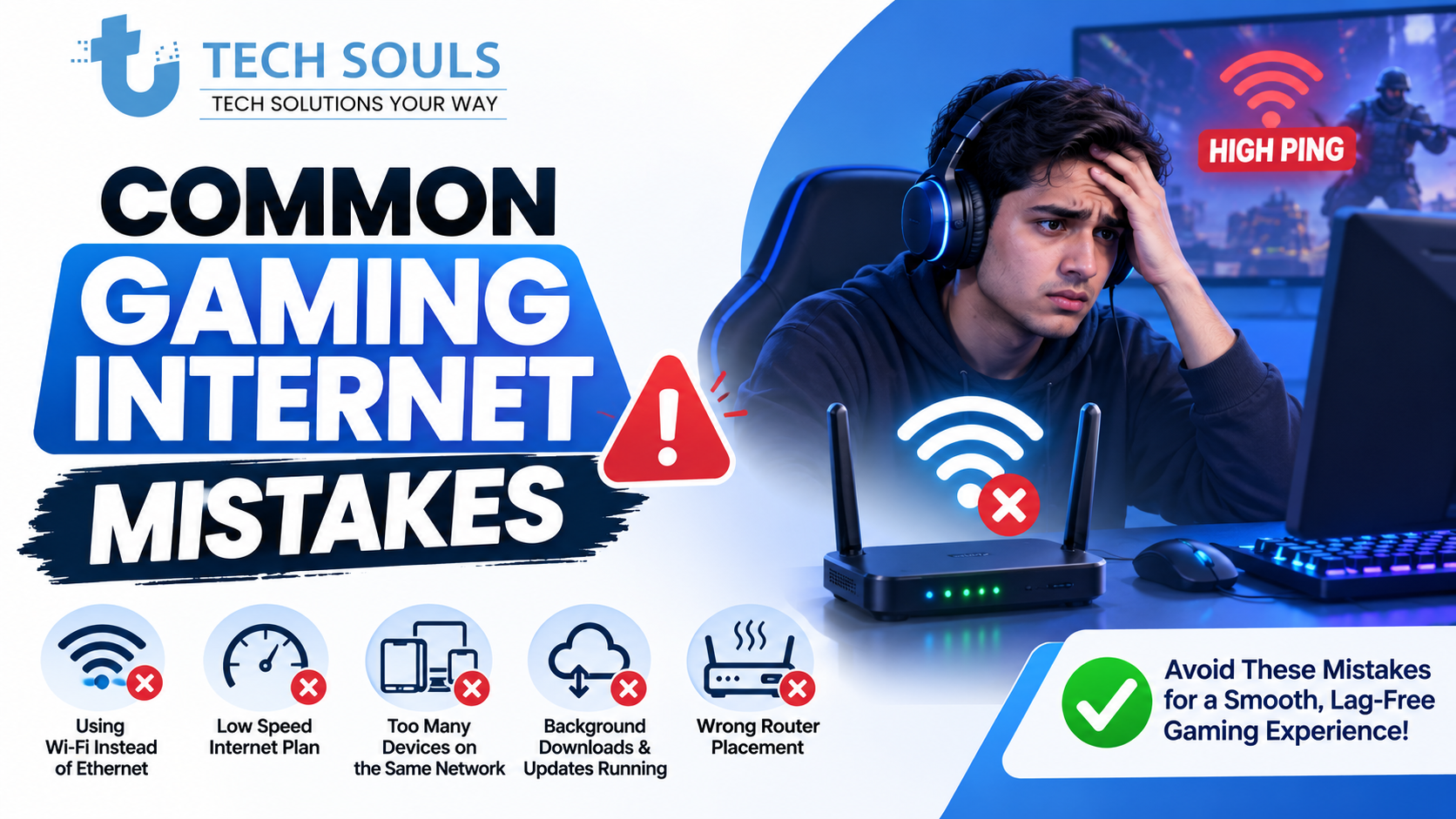
Mistake 1: Buying the Fastest Mbps Plan Automatically
More speed can help with heavy household usage, but it does not automatically reduce ping.
Mistake 2: Assuming a Gaming Router Is Magic
A router's actual features matter more than its marketing label.
Mistake 3: Ignoring Ethernet
Before spending hundreds on networking hardware, test a wired connection if possible.
Mistake 4: Blaming Internet Speed for Every Lag Problem
The problem may actually be:
- Packet loss
- Server distance
- ISP routing
- Wi-Fi interference
- Bufferbloat
Mistake 5: Using Port Forwarding as a Ping Fix
Port forwarding may help with certain connectivity issues. It is not a universal latency solution.
Mistake 6: Changing DNS Expecting a Major Ping Improvement
DNS is important for name resolution, but it generally does not determine the ongoing latency of your game session.
Mistake 7: Buying a Wi-Fi Extender Without Testing It
Some extenders can introduce additional wireless hops and may not improve gaming performance.
Pro Tips for a Faster Gaming Network
Test Ethernet Before Upgrading Your Internet Plan
This is one of the most useful troubleshooting steps.
Test Your Connection Under Load
A connection that looks excellent while idle may behave very differently during a large download.
Test at Different Times of Day
Evening congestion can reveal problems that are invisible during quiet hours.
Monitor More Than Download Speed
Check:
- Ping
- Jitter
- Packet loss
- Upload performance
- Loaded latency
Keep Network Equipment Updated
Router firmware can affect security, reliability, and performance.
Use the Nearest Game Server When Possible
Server distance can have a major impact on latency.
Do Not Chase Extreme Numbers
A stable 40 ms connection can be more enjoyable than an unstable connection that fluctuates between 15 ms and 150 ms.
Gaming Internet Setup Checklist
Use this checklist before buying a faster internet plan:
- Is fiber available?
- Is the current ISP connection stable?
- Have I tested Ethernet?
- Is Wi-Fi causing the problem?
- What is my average ping?
- Does my ping spike during downloads?
- Do I have packet loss?
- Is jitter unusually high?
- Is the problem limited to one game?
- Is my router updated?
- Is my router overloaded?
- Is network congestion causing the issue?
- Am I connecting to a distant game server?
Frequently Asked Questions
What is the fastest internet setup for gaming?
The fastest practical setup is usually a reliable fiber connection paired with Ethernet and a capable router. However, actual gaming performance depends on latency, jitter, packet loss, ISP routing, and game-server distance—not just download speed.
What is the best internet speed for online gaming?
There is no universal number. A single gamer may be comfortable with a relatively modest connection, while a household with several gamers, streaming devices, and large downloads may need several hundred Mbps or more.
Is fiber internet better for gaming?
Fiber is often an excellent choice because it can provide high bandwidth, strong stability, and low-latency performance. However, the quality of the ISP's routing and your home network still matters.
Is Ethernet better than Wi-Fi for gaming?
Ethernet is generally more consistent because it avoids many wireless interference and signal problems. However, modern Wi-Fi can also provide excellent gaming performance when the signal is strong and the network is properly configured.
Does a gaming router reduce ping?
Not automatically. A capable router may help reduce congestion-related lag through traffic management, but it cannot eliminate server distance or fix every ISP routing problem.
Is Wi-Fi 7 good for gaming?
Wi-Fi 7 can be an excellent wireless option when both the router and gaming device support it and the environment allows its benefits to be used. Ethernet can still be more consistent for stationary gaming devices.
How can I reduce ping while gaming?
Start by choosing a nearby game server, testing Ethernet, reducing background traffic, checking for packet loss, and investigating congestion. Do not assume that simply upgrading to a faster Mbps plan will solve every latency problem.
Why do I lag even though my internet is fast?
Possible causes include:
- High latency
- Jitter
- Packet loss
- Bufferbloat
- Wi-Fi interference
- ISP routing
- Game-server problems
Download speed is only one part of the connection.
Can changing DNS reduce gaming ping?
DNS can influence domain-name resolution, but it generally does not significantly reduce the ongoing latency of an established game connection.
Can a VPN reduce gaming ping?
Sometimes, but not consistently. A VPN may improve routing in certain situations and worsen it in others. Test actual performance rather than assuming it will reduce latency.
Key Takeaways
- The fastest internet plan is not always the best gaming connection.
- Latency, jitter, packet loss, and stability matter heavily.
- Fiber is often an excellent choice when available.
- Ethernet is usually the most consistent option for stationary gaming devices.
- Wi-Fi 6 and Wi-Fi 7 can work well when properly deployed.
- A gaming router is not automatically better than a normal high-quality router.
- Port forwarding is not a universal ping-reduction method.
- DNS changes usually do not dramatically reduce in-game latency.
- Bufferbloat can cause severe lag during downloads and uploads.
- Before upgrading your internet plan, identify the actual source of the problem.
Conclusion
The fastest internet setup for gamers is not simply the one with the biggest number on an internet plan. A genuinely good gaming network combines a reliable ISP connection, sufficient bandwidth, low latency, minimal jitter, little or no packet loss, and a stable connection between your gaming device and router.
For most serious gamers, the ideal starting point is fiber internet plus Ethernet and a properly configured router. But the best setup depends on your location, ISP, home layout, gaming device, and household network activity.
If you are experiencing lag, start by measuring the problem instead of immediately buying a faster plan. Test Ethernet versus Wi-Fi, check for packet loss, monitor latency during downloads, and determine whether the problem affects every game or only one title.
The goal is not simply to get the fastest internet. It is to build the most stable connection between your gaming device and the game server.
Continue Exploring TechSouls
Technology is constantly evolving, and staying informed helps you make better decisions whether you're interested in software, AI, cybersecurity, gadgets, or the latest tech trends. At TechSouls, we regularly publish in-depth guides, tutorials, troubleshooting articles, and breaking technology news to keep you updated with accurate and practical information. If you found this article helpful, explore more of our latest content below to expand your knowledge and stay ahead in the fast-changing world of technology.
[Pboxcomputers Tech Updates: AI Trends & Releases (2026)]
[Software Technolotal: Complete Guide (2026)]
[Zenvekeypo4 Software Problem: 15 Easy Fixes for Crashes]
[PlayBattleSquare Guide: Tips, Strategies & Win to Faster (2026)]
[Connectivity HSS Gamepad Complete Guide: Setup & Pairing]
[DigitalRGS Everything Apple Guide: Apple Ecosystem Explained]
[Tommy Jacobs Gaming EyeXcon Guide: Features, Setup]
[Latest Tech Info at BeaconSoft | AI, Cloud & Software Trends 2026]