Web Content Strategy: Complete Guide for 2026

Publishing blog posts and website pages without a plan can make a website look active, but activity alone does not create a strong content strategy. A web content strategy gives you a clear system for deciding what content to create, who it is for, what business goal it supports, how users will find it, and how you will measure its performance.
Whether you run a small business, SaaS company, e-commerce store, agency, or personal website, the right strategy helps you create useful content instead of publishing topics randomly.
Before building your strategy, it also helps to understand the fundamentals of marketing, including how audiences, positioning, and marketing goals influence the content you create.
Quick Answer: What Is a Web Content Strategy?
A web content strategy is a structured plan for creating, organizing, publishing, promoting, measuring, and improving website content. It connects audience needs, business goals, SEO, search intent, content formats, and performance metrics so every important page has a clear purpose.
What Is a Web Content Strategy?
A web content strategy is the system behind your website's content.
It answers questions such as:
- Who are we creating content for?
- What problems does our audience have?
- What does the business want to achieve?
- Which topics should we cover?
- Which keywords and search intents matter?
- Should a topic become a blog post, service page, landing page, guide, or another format?
- How should pages connect with each other?
- How will we know whether the content is working?
- When should existing content be updated, merged, or removed?
This is important because a website can have hundreds of pages and still lack a real strategy.
Web Content Strategy vs. Content Marketing
These terms are related but not identical.
| Web Content Strategy | Content Marketing |
| Plans what content should exist and why | Uses content to attract and engage an audience |
| Focuses on structure, goals, audience and content decisions | Focuses heavily on promotion, distribution and marketing |
| Covers website pages, blogs, resources and other web content | Can include blogs, social media, email, video, podcasts and more |
| Helps determine what to create | Helps get the content in front of the right people |
A strong content marketing program usually needs a strong content strategy behind it.
Web Content Strategy vs. Content Calendar
A content strategy explains the overall direction.
A content calendar organizes individual publishing activities.
For example:
Strategy: Become a trusted resource for small-business SEO.
Calendar: Publish an SEO basics guide on Monday, a local SEO article on Thursday, and update an existing SEO guide the following week.
A calendar without a strategy can simply become a list of publishing dates.
Why Your Website Needs a Content Strategy
A website content strategy is useful for more than SEO.
1. It Gives Your Content a Purpose
Every important piece of content should have a reason to exist.
That reason might be to:
- answer a customer question
- attract organic traffic
- explain a service
- support a buying decision
- generate leads
- build topical authority
- help existing customers
- strengthen a product or brand
If you cannot explain why a page exists, reconsider whether you need it.
2. It Helps You Understand Your Audience
Good content starts with the audience rather than the keyword.
Your visitors may be searching for the same broad topic but have very different needs.
For example, someone searching for "website SEO" could be:
- a beginner trying to understand SEO
- a small-business owner looking for help
- a developer troubleshooting a technical issue
- a marketer comparing SEO tools
Your content should match the audience and their actual problem.3. It Supports SEO
SEO works better when your website has logical topical coverage.
A strategy can help you organize:
- keyword research
- search intent
- topic clusters
- internal links
- content hierarchy
- page types
- content updates
The goal is not to create one page for every keyword variation. The goal is to build useful pages that satisfy distinct search intents.
4. It Reduces Content Waste
Without a plan, teams often create similar articles repeatedly.
For example, you might publish:
- SEO Tips
- SEO Best Practices
- Best SEO Tips
- Top SEO Techniques
- SEO Techniques for Beginners
If these pages satisfy essentially the same intent, creating all five may not be useful.
A strategy helps identify opportunities before content is produced.
5. It Creates a Better User Journey
A visitor may discover your website through an informational article and later need a comparison, product page, or service page.
Good content planning creates logical paths between these pages.
The Web Content Strategy Framework
A practical web content strategy can be built around eight connected decisions:
Audience → Goals → Audit → Research → Intent → Content Plan → Distribution → Measurement
Let's break that down.
1. Define Your Target Audience
Start by identifying who you want to help.
Create a simple audience profile covering:
- industry
- role
- experience level
- problems
- goals
- common questions
- objections
- preferred content formats
- buying stage
You do not need a complicated persona document.
For a small-business website, for example:
Audience: Small-business owners who need more organic traffic but do not have an in-house SEO team.
That simple definition can influence your topics, language, examples, and calls to action.
Pro Tip
Don't define your audience only by demographics.
A person's problem and intent are often more useful for content planning than their age or location.
2. Set Clear Content Goals
Your content needs measurable objectives.
Common goals include:
- increase organic visibility
- attract qualified visitors
- educate potential customers
- generate leads
- support product sales
- reduce customer questions
- build brand authority
- improve conversions
Connect each major content group to a goal.
| Content Goal | Useful Content | Possible KPI |
| Build awareness | Guides, educational articles | Organic impressions |
| Attract traffic | SEO-focused resources | Clicks and organic traffic |
| Generate leads | Guides, landing pages | Form submissions |
| Support buying decisions | Comparisons, case studies | Assisted conversions |
| Help customers | Tutorials, documentation | Engagement or support reduction |
A page can have more than one benefit, but it should have a primary purpose.
3. Audit Your Existing Website Content
Before creating new content, examine what you already have.
A basic content audit should identify:
- URL
- title
- topic
- target keyword
- search intent
- traffic
- impressions
- backlinks
- conversions
- freshness
- content quality
- internal links
Then place each page into one of four groups:
| Decision | When to Use It |
| Keep | Content is useful and performing well |
| Update | Content is valuable but outdated or incomplete |
| Merge | Multiple pages overlap heavily |
| Remove/Redirect | Content has little value and no clear purpose |
This prevents your website from growing through unnecessary pages.
4. Research Topics, Keywords and Search Intent
Keyword research is useful, but search volume should not be the only deciding factor.
Look at:
- relevant topics
- keyword variations
- questions
- related searches
- competitors
- customer language
- existing website data
- search intent
Then ask:
What does the searcher actually want?
Informational Intent
The user wants to learn.
Examples:
- what is technical SEO?
- how does content marketing work?
- how to create a website content plan
Best formats:
- guides
- tutorials
- explainers
- checklists
Commercial Investigation
The user is researching options.
Examples:
- best SEO tools
- WordPress vs Shopify
- best CRM for small businesses
Best formats:
- comparisons
- reviews
- buying guides
- alternatives
Transactional Intent
The user is ready to take action.
Examples:
- SEO agency
- WordPress development services
- buy project management software
Best formats:
- service pages
- product pages
- landing pages
Navigational Intent
The user wants a specific website, brand, or resource.
The important point is simple:
Don't force an informational keyword onto a transactional page, or vice versa.
5. Build Content Pillars and Topic Clusters
Content pillars are the major subjects your website wants to be known for.
For example, a technology website could have pillars such as:
- SEO
- Web Development
- WordPress
- Shopify
- AI
- Digital Marketing
Each pillar can contain supporting topics.
For an SEO pillar:
SEO
│
- SEO Basics
- Keyword Research
- Technical SEO
- Local SEO
- On-Page SEO
- Internal Linking
- SEO Content Strategy
The individual pages should be connected through relevant internal links.
This creates a more organized website than publishing unrelated articles.
Avoid Creating Pages Just to Fill a Cluster
A topic cluster is not a requirement to publish dozens of pages.
Create a page when it serves a distinct user need and adds useful information.
6. Map Keywords to URLs
This is one of the most important parts of a web content strategy.
Create a keyword-to-URL map before publishing.
| Keyword | Intent | Recommended Page |
| what is SEO | Informational | SEO guide |
| SEO content strategy | Informational | SEO content strategy guide |
| SEO agency | Transactional | SEO service page |
| best SEO tools | Commercial | Comparison article |
| Google Search Console | Navigational | Relevant branded/resource page |
This helps prevent keyword cannibalization, where several pages unintentionally compete for the same search intent.
A useful rule is:
One distinct search intent should usually have one primary page.
There can be exceptions, but this is a strong starting point.
7. Choose the Right Content Format
Not every topic should become a 2,500-word blog post.
Consider the user's need first.
| User Need | Suitable Format |
| Learn a concept | Guide |
| Solve a problem | Tutorial |
| Compare options | Comparison |
| Complete a task | Checklist |
| Decide what to buy | Buying guide |
| Understand a service | Service page |
| Find a specific resource | Resource page |
| Learn a complex process | Step-by-step guide |
The format should make the answer easier to consume.
8. Create a Content Calendar
Once your strategy is clear, build the publishing schedule.
A simple calendar can include:
| Date | Topic | Intent | Format | Goal | Status |
| Week 1 | SEO Basics | Informational | Guide | Awareness | Planned |
| Week 1 | SEO Audit Checklist | Informational | Checklist | Traffic | Planned |
| Week 2 | SEO Tools Comparison | Commercial | Comparison | Consideration | Planned |
| Week 3 | SEO Service Guide | Transactional | Service page | Leads | Planned |
Your calendar should also include updates to existing content, not just new articles.
How to Build a Website Content Strategy Step by Step
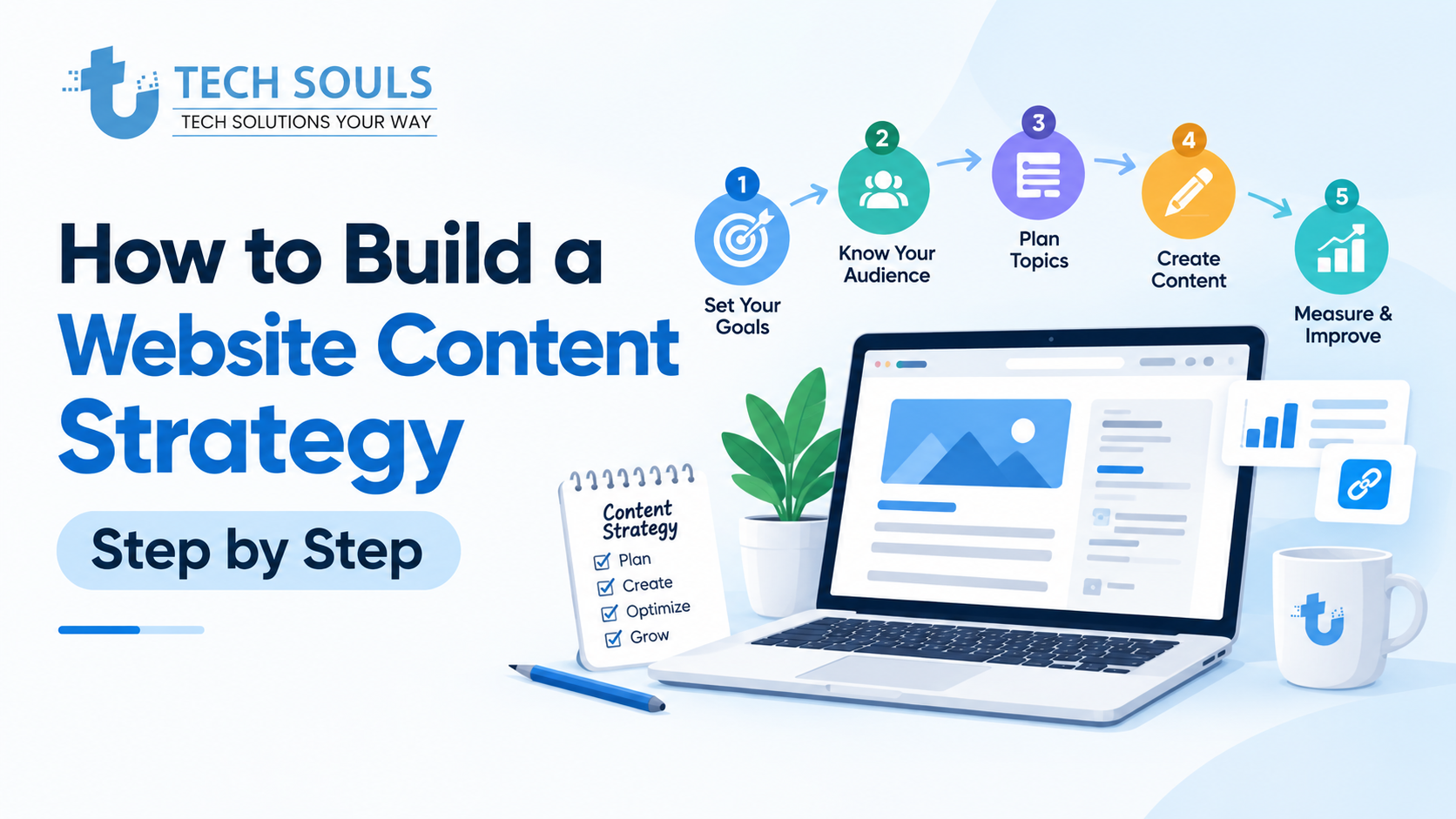
If you're starting from scratch, use this workflow.
Step 1: Define Your Audience
Write down the people you want your website to serve.
Step 2: List Their Problems
Find the questions, challenges, objections, and goals that matter to them.
Step 3: Define Business Goals
Decide whether your content should primarily generate awareness, traffic, leads, sales, customer education, or authority.
Step 4: Audit Existing Content
Find what already works and what needs improvement.
Step 5: Research Topics and Keywords
Build a list of relevant topics instead of collecting keywords without context.
Step 6: Assign Search Intent
Classify each opportunity as informational, commercial, transactional, or navigational.
Step 7: Build Topic Clusters
Group closely related topics under broader pillars.
Step 8: Map Topics to URLs
Determine whether each opportunity needs a new page or can be handled by an existing one.
Step 9: Create the Content Calendar
Prioritize topics according to business value, audience needs, search opportunity, and available resources.
Step 10: Measure and Improve
Review performance and make decisions based on evidence.
Web Content Strategy Example
Let's say a fictional SaaS company sells project management software to small businesses.
Instead of publishing random productivity articles, its strategy could look like this:
| Audience Problem | Content | Intent | Funnel Stage |
| How do I organize projects? | Project management guide | Informational | TOFU |
| Which project management method is best? | Method comparison | Commercial | MOFU |
| What should I look for in software? | Software buying guide | Commercial | MOFU |
| Which tool should I use? | Product comparison | Commercial | BOFU |
| How do I start? | Product tutorial | Transactional/Support | BOFU |
This creates a logical journey instead of disconnected articles.
Another Example: E-commerce Website
An online retailer selling running shoes might create:
- beginner running guides
- shoe-selection guides
- running shoe comparisons
- size guides
- product pages
- care guides
- FAQs
Each page has a different job.
That is what strategic content looks like.
A Simple Website Content Strategy Template
You can use this framework to plan individual pieces of content:
| Strategy Element | What to Define |
| Target Audience | Who is this for? |
| Audience Problem | What are they trying to solve? |
| Business Goal | Why does this content matter to the business? |
| Topic | What should the page cover? |
| Primary Keyword | What is the main search opportunity? |
| Search Intent | What does the searcher expect? |
| Content Type | Guide, comparison, landing page, etc. |
| Funnel Stage | Awareness, consideration, or decision |
| Internal Links | Which relevant pages should connect? |
| CTA | What should the visitor do next? |
| KPI | How will success be measured? |
| Update Date | When should it be reviewed? |
This can work as a lightweight content strategy template for a small website.
How SEO Fits Into a Web Content Strategy
SEO should be part of your content planning process, not something added after an article is written.
Keyword Research
Use keyword research to discover the language your audience uses.
But don't turn every keyword variation into a separate page.
Search Intent
Make sure the content type matches what searchers are trying to accomplish.
Internal Linking
Connect related pages naturally.
For example, an article about web content strategy may link to a relevant article about social media strategy when the reader needs information about content distribution.
Content Optimization
Optimization can include:
- clear headings
- descriptive titles
- useful meta descriptions
- logical internal links
- descriptive URLs
- structured information
- relevant terminology
- helpful examples
- easy navigation
The objective is to make the page useful to both readers and search engines.
Content Strategy and the User Journey
Your website content should support different stages of the journey.
TOFU — Awareness
The user is learning about a problem.
Examples:
- What is SEO?
- How does content marketing work?
MOFU — Consideration
The user understands the problem and is evaluating solutions.
Examples:
- SEO vs PPC
- Best SEO tools
- WordPress vs Shopify
BOFU — Decision
The user is ready to take action.
Examples:
- SEO services
- WordPress development services
- software pricing
A healthy website does not need every article to sell something.
Informational content can build trust and bring qualified users into the wider website ecosystem.
Common Web Content Strategy Mistakes
1. Publishing Just to Hit a Quota
Publishing five weak articles is not automatically better than publishing one genuinely useful resource.
Quality and usefulness should guide publishing frequency.
2. Chasing Every Keyword
A keyword is not a content strategy.
First determine whether the topic is relevant to your audience and business.
3. Ignoring Search Intent
A page can be well-written and still fail if it doesn't answer the question the searcher actually has.
4. Creating Multiple Pages for the Same Intent
This can create unnecessary overlap.
Review existing pages before creating a new one.
5. Never Updating Old Content
Some content becomes outdated as tools, products, recommendations, regulations, or best practices change.
Content strategy includes maintenance.
6. Measuring Only Traffic
Traffic is useful, but it isn't the entire picture.
A page receiving fewer visitors may generate more qualified leads than a high-traffic informational article.
7. Making Everything a Sales Page
Not every search deserves a CTA for your service.
If the user wants an educational answer, give them the answer first.
8. Creating Content Without Distribution
Publishing is only one part of the lifecycle.
Depending on the content, distribution can include:
- social media
- communities
- internal links
- outreach
- partnerships
- relevant external references
How to Measure Content Performance
Your KPIs should match the purpose of the content.
Organic Visibility
Monitor:
- impressions
- clicks
- queries
- rankings
- indexed pages
Engagement
Depending on the website and analytics setup, review:
- engaged sessions
- time-related engagement signals
- pages per session
- return visits
Conversions
For commercial content, consider:
- leads
- form submissions
- purchases
- sign-ups
- consultation requests
Content ROI
A simple evaluation is:
Content value ÷ content cost
You don't need a complicated formula to start.
Ask:
Did this content generate enough business or strategic value to justify the resources used to create and maintain it?
When Should You Update, Merge, or Remove Content?
A good content strategy includes decisions after publication.
Update When:
- information is outdated
- important questions are missing
- examples need refreshing
- search intent has evolved
- the page has potential but underperforms
Merge When:
- two pages overlap heavily
- both target essentially the same intent
- one stronger resource could serve users better
Remove or Redirect When:
- the page provides little value
- the topic is no longer relevant
- there is no meaningful audience need
- another page is clearly the better destination
Do not update pages simply because a calendar says they are six months old. Update them when there is a meaningful reason.
How AI Can Fit Into Content Strategy
AI tools can help with parts of the workflow, but they should not replace editorial judgment.
AI can assist with:
- brainstorming topic ideas
- organizing research
- creating content briefs
- identifying questions
- summarizing notes
- generating initial outlines
- repurposing existing content
Human review remains important for:
- factual accuracy
- originality
- expert judgment
- first-hand insights
- brand voice
- examples
- claims and evidence
- final editorial decisions
The goal is not to produce more pages simply because AI makes publishing faster.
The goal is to use technology to create better content more efficiently.
Best Practices for a Strong Web Content Strategy
Start With Problems, Not Keywords
Keywords tell you what people search for. Audience research helps explain why.
Give Every Page a Job
Know whether a page exists to educate, attract, convert, support, or guide users.
Build Around Topics
Think in topic clusters rather than isolated keywords.
Match Format to Intent
Use the format that best solves the user's problem.
Reuse Content Strategically
A strong guide can become:
- social posts
- email content
- short videos
- checklists
- FAQs
- supporting resources
Maintain Existing Content
Content creation and content maintenance should both be part of the calendar.
Use Internal Links Intentionally
Links should help users discover the next relevant resource.
Measure Business Outcomes
Don't judge every article by the same KPI.
When You Should NOT Create a New Content Page
This is one of the most overlooked parts of content planning.
Don't create a new page simply because you found another keyword.
Pause when:
- an existing page already satisfies the search intent
- the new topic is almost identical to an existing article
- there is no clear audience benefit
- the topic doesn't support your website's purpose
- you have nothing original or useful to add
- the page would only exist to capture a keyword variation
Sometimes the best content strategy decision is not publishing another article.
Improving an existing page can be more valuable.
Web Content Strategy Checklist
Before publishing a new page, ask:
- Who is this content for?
- What problem does it solve?
- What is the business goal?
- What is the primary search intent?
- Did we check existing pages first?
- Is a new URL actually necessary?
- Is the content format appropriate?
- Does the page provide original value?
- Are important questions answered?
- Are relevant internal links included?
- Is the page easy to scan?
- Is the CTA appropriate?
- Do we know which KPI matters?
- Is the information accurate?
- Is there a plan to update the page when needed?
If you can answer these questions clearly, your content has a much stronger foundation.
Frequently Asked Questions
What is included in a web content strategy?
A web content strategy normally includes audience research, business goals, content auditing, topic and keyword research, search intent, content pillars, content formats, URL planning, publishing, distribution, measurement, and ongoing optimization.
How do I create a website content strategy?
Start by defining your audience and business goals. Audit existing content, research relevant topics and keywords, identify search intent, build topic clusters, map topics to URLs, create a content calendar, and measure results after publication.
How does content strategy improve SEO?
A content strategy can help organize related topics, match pages to search intent, reduce unnecessary content overlap, improve internal linking, and create more complete coverage of important subjects. It does not guarantee rankings, but it can create a stronger foundation for useful SEO content.
What is the difference between a content strategy and a content plan?
A content strategy defines the overall direction, audience, goals, topics, formats, and measurement approach. A content plan turns that strategy into specific content activities, such as which articles or pages will be created and when.
What are content pillars?
Content pillars are broad subjects that represent the main areas a website wants to cover. Supporting articles or pages explore narrower topics within each pillar and can be connected through relevant internal links.
How often should I publish website content?
There is no universal publishing frequency. Choose a schedule your team can maintain while keeping quality high. One genuinely useful article can be more valuable than several thin articles published simply to meet a quota.
Should every website page target a keyword?
No. SEO keywords can help guide content planning, but pages should exist because they serve a real user or business need. Some pages may have navigational, functional, transactional, or supporting purposes.
How often should website content be updated?
Update content when information, user needs, search intent, products, processes, or important examples have changed—or when performance data shows that meaningful improvement is possible. A fixed update schedule is less useful than evidence-based maintenance.
What is a content strategy template?
A content strategy template is a structured worksheet used to plan content decisions such as audience, goals, topics, keywords, intent, content format, internal links, CTA, KPIs, and review dates.
Key Takeaways
A successful web content strategy is not simply a list of blog topics.
It connects:
Audience → Problems → Business Goals → Research → Search Intent → Content → Distribution → Measurement → Optimization
The most important principles are:
- Start with audience needs.
- Give every page a clear purpose.
- Match content with search intent.
- Audit existing pages before creating new ones.
- Build useful topic clusters.
- Map keywords and intents to URLs.
- Use content calendars to execute the strategy.
- Measure outcomes instead of publishing blindly.
- Update, merge, or remove content when necessary.
- Use AI as an assistant, not as a substitute for human judgment.
Conclusion
A strong web content strategy gives your website direction.
Instead of asking, "What should we publish this week?" you can ask better questions: Who are we helping? What problem are we solving? Why does this page need to exist? What should the visitor do next? And how will we know whether it worked?
That shift can make your website more useful for visitors and easier to manage over time.
If you're building a website or improving an existing one, start small. Define your audience, set your goals, audit your current content, identify the most valuable topics, and map them into a logical structure.
You don't need hundreds of pages to have a strong content strategy. You need the right pages, serving the right users, for the right reasons
More Exploring With Tech Souls:
Looking for more practical insights on technology, digital marketing, SEO, web development, AI, and other IT-related topics? Explore more helpful and up-to-date articles on TechSouls to discover actionable tips, strategies, guides, and industry insights designed to help you make better digital decisions. Whether you’re a business owner, marketer, developer, or simply interested in technology, our blog covers a wide range of topics to help you stay informed and ahead in the digital world.
[Marketing Fundamentals: A Beginner’s Guide]
[WordPress Not Responding? 12 Ways to Fix Your Site]
[How to Create a Social Media Strategy That Actually Works in 2026]
[25+ Best Apps for Retailers in 2026: POS, Inventory, CRM & More]
[Fast & SEO-Friendly: Best Frontend Frameworks 2026]
[Cybersecurity Updates 2026: Latest Threats & Protection Tips]
[Droven io AI News: Top Trends & Breakthroughs 2026]
[DevOps Consulting Services: Benefits, Cost & Process]
[Evolution of Digital Technology: Trends, AI and Innovation (2026)]
[Information About Foxtpax Software: Complete Guide (2026)]
.