25+ Best Apps for Retailers in 2026: POS, Inventory, CRM & More
Running a retail business involves much more than selling products. You may need to process payments, track inventory, manage customers, communicate with employees, promote products, handle accounting, and monitor sales performance.
The best apps for retailers help bring these tasks into a manageable workflow. However, you do not need dozens of apps. The right retail technology stack depends on your store size, sales channels, inventory complexity, and biggest operational problems.
In this guide, we compare 25+ apps for retailers across POS, inventory, ecommerce, CRM, accounting, marketing, employee management, analytics, and productivity. We also explain which tools make sense for small retailers, growing businesses, and omnichannel stores.
Quick Answer: Which Apps Do Retailers Actually Need?
The best apps for retailers depend on what you need to manage. Most retail businesses can start with a POS system, inventory management tool, accounting software, customer management platform, and marketing tool. Ecommerce retailers may also need an online store platform, while larger businesses may benefit from employee scheduling, analytics, automation, and loyalty software.
The goal is not to install the most apps. It is to create a connected system where sales, inventory, customers, payments, and business data work together.
What Are Retail Apps?
Retail apps are software tools that help businesses manage one or more parts of their retail operations.
They can handle tasks such as:
- Point-of-sale transactions
- Inventory tracking
- Product management
- Customer relationship management
- Ecommerce
- Payment processing
- Accounting and bookkeeping
- Employee scheduling
- Marketing
- Customer loyalty
- Sales reporting
- Business analytics
- Workflow automation
Some retail management apps combine several of these functions. Others focus on one specific problem.
For example, a POS system can manage checkout and sales, while a specialized inventory application may provide deeper stock control.
Best Apps for Retailers: Quick Comparison
| App | Category | Best For | Main Strength |
| Shopify POS | POS / Ecommerce | Omnichannel retailers | Online + in-store selling |
| Square for Retail | POS / Inventory | Small and growing stores | Simple retail operations |
| Lightspeed Retail | POS / Retail Management | Growing retailers | Advanced retail management |
| WooCommerce | Ecommerce | WordPress stores | Flexible online commerce |
| Adobe Commerce | Ecommerce | Larger ecommerce businesses | Scalability and customization |
| Amazon Seller | Marketplace | Amazon sellers | Marketplace selling |
| eBay | Marketplace | Marketplace retailers | Online marketplace sales |
| Etsy Seller | Marketplace | Handmade/product businesses | Etsy selling |
| HubSpot CRM | CRM | Customer management | Centralized customer data |
| Zoho CRM | CRM | Customizable retail workflows | CRM + integrations |
| Salesforce | CRM | Larger organizations | Enterprise CRM |
| Pipedrive | CRM / Sales | Sales-focused teams | Pipeline management |
| QuickBooks | Accounting | Small businesses | Bookkeeping and financial management |
| Xero | Accounting | Growing businesses | Cloud accounting |
| Mailchimp | Marketing | Email marketing | Campaign management |
| Canva | Marketing / Design | Retail marketing | Fast visual content creation |
| Meta Business Suite | Social Media | Social selling | Meta platform management |
| WhatsApp Business | Communication | Customer communication | Direct messaging |
| Sortly | Inventory | Small inventory operations | Visual inventory management |
| inFlow Inventory | Inventory | Product-heavy businesses | Inventory and order management |
| Slack | Team Communication | Retail teams | Internal communication |
| Trello | Productivity | Store workflows | Task management |
| Microsoft Teams | Communication | Larger teams | Team collaboration |
| Google Workspace | Productivity | Retail businesses | Email, files and collaboration |
| LoyaltyLion | Loyalty | Ecommerce retention | Customer loyalty programs |
Features, availability and pricing can vary by plan, country and product version. Always check the vendor's current documentation before making a purchase.
Best POS Apps for Retailers
A point-of-sale (POS) system is often the operational center of a retail business.
It can process sales, accept payments, update inventory, store customer information, and generate sales reports.
1. Shopify POS — Best for Omnichannel Retail
Shopify POS is a strong choice for retailers that sell both online and in physical stores.
Its biggest advantage is the connection between ecommerce and physical retail. A retailer can manage products, orders, customers and inventory across connected sales channels.
Best for: Retailers already using Shopify or planning to sell online and offline.
Why consider it:
- In-store checkout
- Ecommerce integration
- Inventory management
- Customer profiles
- Staff permissions
- Sales reporting
- Multi-location support
Watch out for: Your total cost can increase as you add plans, hardware, payment features, or third-party apps.
2. Square for Retail — Best for Simple Retail Operations
Square is designed to make retail checkout and inventory management easier for businesses that want a relatively straightforward setup.
It can connect sales with inventory, purchase orders, customer information and reporting.
Best for: Small and growing retailers that want POS and retail management features in one ecosystem.
Why consider it:
- Retail POS
- Inventory management
- Purchase orders
- Customer management
- Sales reporting
- Online selling options
- Multi-location capabilities
Watch out for: Check payment availability, fees and feature availability in your country before committing.
3. Lightspeed Retail — Best for Growing Retail Operations
Lightspeed Retail is designed for businesses that need more than basic checkout.
It can be useful when inventory, reporting, purchasing, product management and multi-location operations become more complicated.
Best for: Growing and established retailers.
Why consider it:
- Retail POS
- Inventory management
- Product management
- Reporting
- Multi-location operations
- Ecommerce integrations
Watch out for: More advanced retail platforms can require more setup and training than simple POS applications.
Best Retail Inventory Apps
Inventory problems can quickly turn into lost sales.
Too little stock creates stockouts. Too much stock ties up cash. Poor inventory tracking can also make it difficult to know what is actually selling.
4. Sortly — Best for Visual Inventory Tracking
Sortly focuses on making inventory easier to organize and visualize.
It can be useful for retailers that want a simple way to track products, quantities, locations and other inventory information.
Best for: Small businesses and retailers with straightforward inventory needs.
5. inFlow Inventory — Best for Product and Order Management
inFlow is designed around inventory and order management.
It can be useful for retailers and product businesses that need more structured control over purchasing, stock and orders.
Best for: Businesses with more complex inventory workflows than a basic spreadsheet can handle.
6. Lightspeed Inventory — Best for Connected Retail Operations
Retailers using a broader retail management platform may prefer inventory functionality connected directly to POS and other store operations.
Best for: Multi-location and growing retail businesses.
Best Ecommerce Apps for Retail Businesses
Retail is no longer limited to a physical store.
Many businesses now sell through websites, social media, marketplaces and physical locations at the same time.
7. Shopify — Best for Most Ecommerce Retailers
Shopify is one of the strongest choices for retailers that want to build and manage an online store without developing the entire commerce system from scratch.
Best for: Small businesses through growing ecommerce brands.
8. WooCommerce — Best for WordPress Stores
WooCommerce is a popular option for businesses already using WordPress.
Its biggest advantage is flexibility. Retailers can extend their store using themes, plugins and custom development.
Best for: WordPress-based retailers that want control over their ecommerce environment.
Watch out for: The flexibility also means you may need to manage hosting, plugins, updates, security and technical compatibility.
9. Adobe Commerce / Magento Open Source — Best for Complex Ecommerce
Magento is commonly used as a name for Adobe's ecommerce ecosystem, but the modern distinction matters.
Adobe Commerce and Magento Open Source are the current products in that ecosystem.
Best for: Businesses with complex ecommerce requirements and access to technical resources.
Watch out for: This is usually not the simplest choice for a small retailer that just needs a basic online store.
10. Amazon Seller — Best for Amazon Marketplace Selling
Retailers that want to sell directly through Amazon can use seller tools to manage marketplace listings, orders and related operations.
Best for: Businesses whose strategy includes Amazon marketplace sales.
11. eBay — Best for Marketplace Retail
eBay can be useful for retailers that want another marketplace sales channel.
Best for: Businesses selling products where marketplace exposure is valuable.
12. Etsy Seller — Best for Handmade and Niche Products
Etsy is particularly relevant to businesses selling handmade, customized, vintage or craft-oriented products.
Best for: Handmade product sellers and niche retailers.
Best CRM Apps for Retailers
A CRM, or Customer Relationship Management system, stores and organizes information about customers and interactions.
For retailers, this can support repeat purchases, customer segmentation, follow-ups and personalized marketing.
13. HubSpot CRM — Best for Getting Started with CRM
HubSpot CRM can be a useful starting point for businesses that want centralized customer records and sales management.
Best for: Small businesses and growing teams that need a structured CRM.
14. Zoho CRM — Best for Customizable Retail Workflows
Zoho CRM can be adapted to different business processes and can connect with other business applications.
For retailers, this can be useful when customer management needs to connect with sales, marketing, inventory or other operational data.
Best for: Businesses that want customization and a broader software ecosystem.
15. Salesforce — Best for Larger Retail Organizations
Salesforce is better suited to organizations with more complex CRM requirements, larger teams and sophisticated customer workflows.
Best for: Larger retailers and organizations with dedicated CRM processes.
Watch out for: It can be excessive for a small one-location retailer.
16. Pipedrive — Best for Sales-Focused Teams
Pipedrive is centered around sales pipeline management.
It can be useful when a retailer's business model includes sales representatives, B2B customers, wholesale relationships or structured sales follow-up.
Best for: Retail businesses with a meaningful sales pipeline.
Best Retail Accounting Apps
Retailers need more than sales reports.
They also need to understand revenue, expenses, taxes, profit, cash flow and other financial information.
17. QuickBooks — Best for Small Business Accounting
QuickBooks is widely used for bookkeeping and financial management.
Best for: Small and growing businesses that need structured accounting rather than spreadsheets.
18. Xero — Best for Cloud Accounting
Xero is another cloud accounting option that can work well for growing businesses.
Best for: Retailers looking for online accounting and integrations with other business systems.
Important Tip
Do not choose accounting software only because it is popular.
Check whether it works with:
- Your country
- Tax requirements
- Payment systems
- POS
- Ecommerce platform
- Accountant or bookkeeper
- Reporting requirements
Best Retail Marketing Apps
Marketing tools help retailers attract new customers and bring previous customers back.
19. Mailchimp — Best for Email Marketing
Email marketing can help retailers announce promotions, new products, seasonal campaigns and customer offers.
Best for: Retail businesses building an email customer base.
20. Canva — Best for Retail Design
Retailers constantly need visual content:
- Product posts
- Promotions
- Flyers
- Social media graphics
- Stories
- Banners
- Advertisements
Canva can make these tasks easier for teams without a dedicated graphic designer.
Best for: Small retail marketing teams.
21. Meta Business Suite — Best for Facebook and Instagram Management
Retailers using Facebook and Instagram can use Meta's business tools to manage parts of their social presence and marketing workflow.
Best for: Retail businesses heavily dependent on Meta platforms.
22. WhatsApp Business — Best for Direct Customer Communication
For many retailers, messaging is an important part of customer service and sales.
WhatsApp Business can support customer communication, product conversations, order questions and follow-ups.
Best for: Retailers whose customers prefer messaging.
Best Productivity and Team Apps for Retailers
Not every retail problem requires specialized retail software.
Sometimes the problem is simply poor communication or task management.
23. Slack — Best for Team Communication
Slack can help retail teams communicate across departments, stores or operational functions.
Best for: Growing teams that need organized internal communication.
24. Trello — Best for Simple Task Management
Trello can help manage tasks such as:
- Store opening checklists
- Marketing campaigns
- Product launches
- Maintenance
- Staff tasks
- Event preparation
Best for: Small teams that need visual task management.
25. Microsoft Teams — Best for Larger Organizations
Microsoft Teams combines communication, meetings, files and collaboration.
Best for: Retail businesses already using the Microsoft ecosystem.
26. Google Workspace — Best for Everyday Business Productivity
Google Workspace can provide email, documents, spreadsheets, cloud storage and collaboration tools.
Best for: Retail businesses that need simple shared business infrastructure.
Best Customer Loyalty Tools
Getting a customer to buy once is useful.
Getting them to return is often more valuable.
Retail loyalty software can support:
- Rewards
- Customer points
- Personalized offers
- Repeat-purchase campaigns
- Customer segmentation
- Membership programs
For ecommerce retailers, dedicated loyalty platforms can integrate with the store. For smaller physical retailers, a CRM or POS with customer profiles may be enough.
Pro Tip: Do not launch a loyalty program simply because competitors have one. First determine whether repeat purchasing is important enough in your business model to justify it.
Best Retail Apps for Small Businesses
Small retailers should not copy the technology stack of a large chain.
A one-location clothing store may only need:
POS + inventory + accounting + customer communication + marketing
A growing multi-location retailer may need:
POS + inventory + ecommerce + CRM + accounting + analytics + employee management
The difference is important.
More software does not automatically mean better operations.
Recommended Retail Technology Stacks
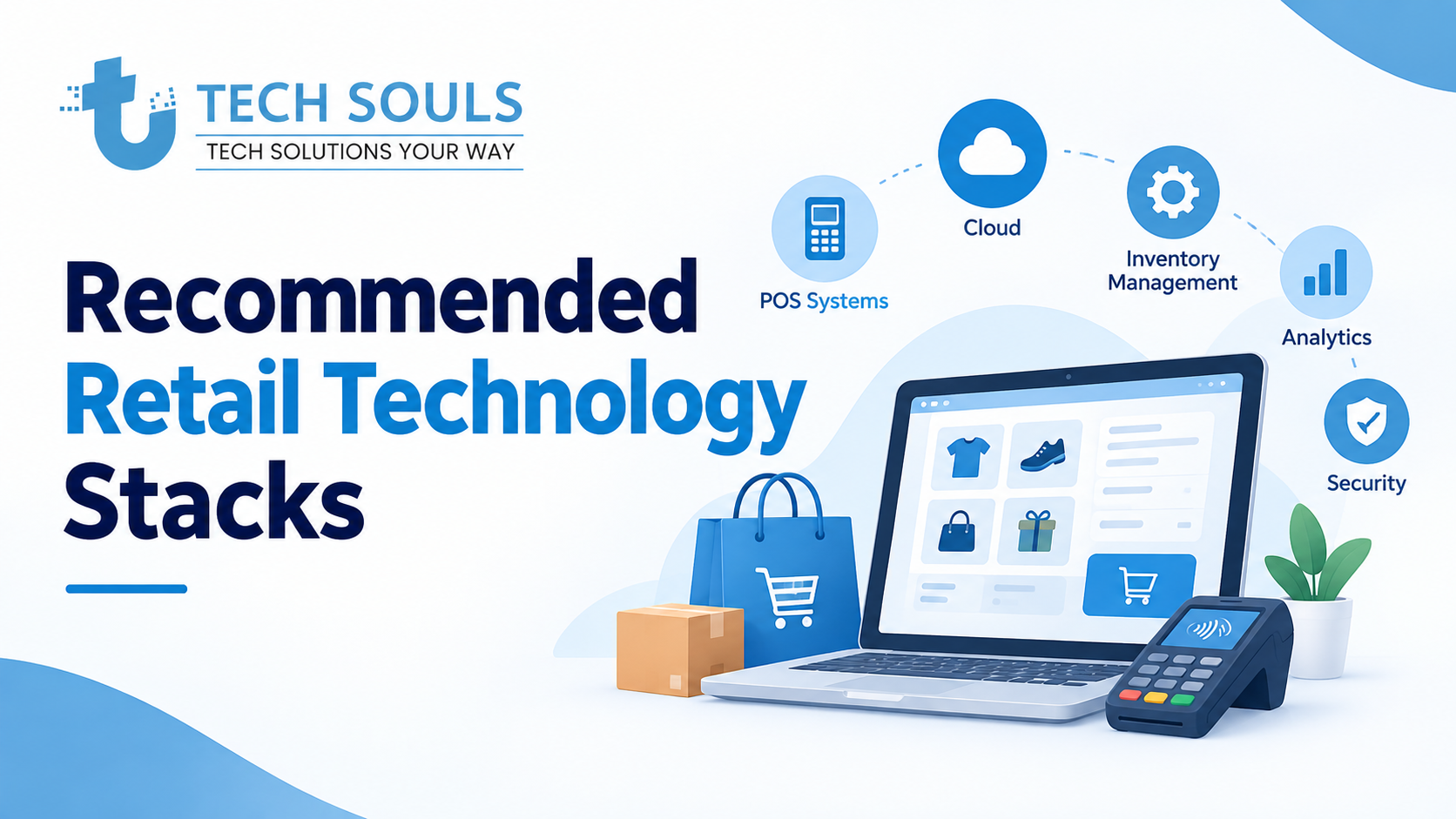
Stack 1: Small Physical Retail Store
A practical starting stack could look like:
POS → Inventory → Accounting → WhatsApp Business → Marketing
The goal is simplicity.
Avoid buying separate software for every minor task.
Stack 2: Retail Store + Ecommerce
For a retailer selling online and offline:
POS → Ecommerce → Inventory → Accounting → CRM → Marketing
The critical requirement is synchronization.
If a product sells online but the physical store does not know about the sale, inventory accuracy becomes a problem.
Stack 3: Multi-Location Retailer
A growing retailer may need:
POS → Central Inventory → Purchasing → Staff Management → CRM → Analytics
Here, centralized reporting becomes increasingly important.
Stack 4: Omnichannel Retailer
A more advanced setup may include:
Online Store
↓
POS
↓
Central Inventory
↓
Orders + Customers
↓
CRM + Marketing
↓
Accounting + Analytics
The objective is to create one connected flow of business information rather than several isolated systems.
How to Choose the Right Retail App
1. Start with the problem
Do not start with:
"Which app is popular?"
Start with:
"What problem am I trying to solve?"
Examples:
| Problem | Start With |
| Slow checkout | POS |
| Stockouts | Inventory management |
| Poor customer retention | CRM / Loyalty |
| Manual bookkeeping | Accounting |
| Weak online sales | Ecommerce |
| Poor social marketing | Marketing tools |
| Employee scheduling problems | Staff management |
| Poor reporting | Analytics |
| Too many repetitive tasks | Automation |
2. Check integrations
An app can be excellent by itself and still be wrong for your business.
Before choosing it, ask:
- Does it integrate with my POS?
- Can it connect to my ecommerce store?
- Can it share customer data?
- Can it export data?
- Does it connect to accounting?
- Does it support APIs?
- Can I connect future tools?
Integration compatibility can be more important than having the longest feature list.
3. Compare the total cost
The subscription price is not always the complete cost.
Consider:
- Monthly software fees
- Payment processing
- Hardware
- Setup
- Migration
- Add-ons
- Third-party integrations
- Employee training
- Maintenance
A cheap app that requires five additional tools may cost more than an all-in-one system.
4. Think about your business size
A useful rule:
Small store → simplicity
Growing retailer → integrations
Multi-location retailer → centralized data
Enterprise retailer → scalability and customization
5. Think beyond launch
Ask what happens when:
- You open another location
- Your product catalog doubles
- You add ecommerce
- You hire more staff
- You need advanced reporting
- You want automation
- You need custom integrations
The best retail management software should solve today's problem without creating tomorrow's bottleneck.
Which Retail Apps Should You Install First?
You do not need to implement everything on day one.
Phase 1: Core Operations
Start with:
- POS
- Inventory
- Accounting
Phase 2: Customer Management
Add:
- CRM
- Customer database
- Loyalty
Phase 3: Marketing
Add:
- Email marketing
- Social media management
- Design tools
- Customer messaging
Phase 4: Optimization
Add:
- Analytics
- Automation
- Advanced reporting
- Employee management
This phased approach keeps your retail technology stack manageable.
Common Retail App Mistakes
Buying too many apps
More apps mean more accounts, integrations, training and potential points of failure.
Choosing based only on price
A low monthly fee does not necessarily mean low total cost.
Ignoring integrations
Disconnected systems create duplicate work.
Selecting software that is too advanced
A small store does not necessarily need enterprise software.
Selecting software that is too basic
The opposite can also happen.
If you already have multiple locations and thousands of products, a simple spreadsheet-based system may become a serious operational limitation.
Forgetting data ownership
Before committing to a platform, understand how you can export your:
- Customers
- Products
- Orders
- Inventory
- Reports
Ignoring local requirements
Payment methods, taxes, accounting rules and product availability can vary by country.
When Should You Build Custom Retail Software?
Off-the-shelf retail software is usually the right starting point.
Custom software becomes more interesting when your business has workflows that existing products cannot handle efficiently.
Consider custom development when:
- Multiple systems need complicated integrations
- Employees repeatedly perform manual data entry
- Your business has unique inventory rules
- Existing POS software does not match your workflow
- You need a custom supplier portal
- You need specialized reporting
- Your ecommerce and physical-store systems are difficult to synchronize
- Your team relies heavily on spreadsheets
- Existing software requires too many workarounds
A custom retail management system could combine:
POS + Inventory + CRM + Supplier Management + Ecommerce + Analytics + Automation
But custom software should not be built simply because it sounds more advanced.
If an existing application solves the problem effectively, using it is usually faster and less expensive.
Practical Example: A Small Clothing Retailer
Imagine a clothing store with one physical location and an online store.
The business sells 500 SKUs.
Its biggest problems are:
- Manual inventory updates
- Customers asking about product availability
- Poor sales reporting
- Social media marketing taking too much time
Instead of purchasing ten applications, the retailer could start with:
POS + Ecommerce + Inventory + Accounting + WhatsApp Business + Canva
Once the business grows, it could add:
CRM + Loyalty + Advanced Analytics + Automation
The technology stack grows with the business instead of becoming a burden from day one.
Practical Example: Multi-Location Retailer
Now imagine a retailer with five stores.
The problems are different:
- Inventory is spread across locations
- Managers need centralized reports
- Staff permissions matter
- Transfers between stores are common
- Customers shop through multiple channels
This business needs stronger:
- Multi-location inventory
- POS synchronization
- Staff management
- Reporting
- Ecommerce integration
- Customer management
The lesson is simple:
The best retail app is not necessarily the most powerful app. It is the one that fits your operational complexity.
Key Takeaways
- Start with the biggest business problem.
- POS is often the operational foundation for physical retail.
- Inventory software becomes increasingly important as product volume grows.
- Ecommerce platforms are essential for online retail.
- CRM and loyalty tools help retailers build repeat customer relationships.
- Accounting software keeps financial operations organized.
- Marketing tools help retailers attract and retain customers.
- Integration is often more important than having more features.
- Small retailers should prioritize simplicity.
- Growing retailers should prioritize scalability.
- Avoid buying software that your team does not actually need.
- Consider custom software only when standard tools create significant workflow limitations.
FAQs
What are the best apps for retailers?
The best apps for retailers depend on the business. Common categories include POS, inventory management, ecommerce, CRM, accounting, marketing and customer loyalty. Shopify POS and Square can be useful for core retail operations, while tools such as HubSpot, Zoho CRM, QuickBooks and Mailchimp address specific customer, finance and marketing needs.
What apps does a small retail business need?
A small retailer can often start with a POS system, inventory management, accounting software and customer communication tool. An ecommerce platform should be added if the business sells online. Marketing and CRM tools can be introduced as customer acquisition and retention become bigger priorities.
What is the best POS app for retail?
There is no universal best POS app. Shopify POS can be a strong choice for retailers combining ecommerce with physical stores, while Square can suit businesses looking for straightforward retail POS and inventory capabilities. Growing retailers should also compare platforms such as Lightspeed based on their inventory, reporting and multi-location requirements.
Which app is best for retail inventory?
The best inventory app depends on product volume and operational complexity. Simple retailers may need only inventory features built into their POS, while businesses with larger catalogs or more complex purchasing workflows may benefit from dedicated inventory software.
What is retail management software?
Retail management software is a system used to manage multiple parts of a retail business, such as sales, inventory, customers, products, purchasing, staff and reporting. Some platforms combine these functions, while others integrate specialized applications.
Are free retail apps good enough?
Free tools can be sufficient for basic tasks and early-stage businesses. However, retailers should check limitations around users, transactions, integrations, reporting, storage, automation and support before relying on a free plan for core operations.
How many retail apps should a business use?
There is no ideal number. A small retailer may operate effectively with four or five connected tools, while a larger retailer may need many more. The goal should be a manageable technology stack rather than the maximum number of applications.
When should a retailer build custom software?
Custom retail software becomes worth considering when standard applications cannot handle important workflows, integrations or reporting requirements efficiently. Businesses should first determine whether existing software can solve the problem before investing in custom development.
Conclusion
The best apps for retailers are not necessarily the apps with the longest feature lists.
The right technology stack depends on your store size, sales channels, inventory complexity, customer relationships and operational workflow.
For a small retailer, a simple combination of POS, inventory, accounting and customer communication may be enough. As the business grows, ecommerce, CRM, analytics, loyalty, staff management and automation can be added.
The most important principle is to build a connected retail technology stack.
Choose tools that solve real problems, integrate with the systems you already use, and can support your next stage of growth.
If your retail operation has reached the point where multiple applications, spreadsheets and manual workflows are slowing your team down, custom retail software may be worth exploring.
Continue with Tech Souls:
Want to explore more about web development, IT, AI, SEO, and the latest technology trends? Visit TechSouls for more helpful web and IT blogs, practical guides, software insights, and digital solutions to help your business grow.
[Fast & SEO-Friendly: Best Frontend Frameworks 2026]
[Cybersecurity Updates 2026: Latest Threats & Protection Tips]
[Droven io AI News: Top Trends & Breakthroughs 2026]
[Gesture Recognition Technology: Types, Uses & How It Works]
[DevOps Consulting Services: Benefits, Cost & Process]
[Evolution of Digital Technology: Trends, AI and Innovation (2026)]
[Information About Foxtpax Software: Complete Guide (2026)]
[Endbugflow Software: Features, Benefits & How It Works]
[Aggr8Tech Digital Technology: Features, Benefits & Uses (2026)]