Software Development Process: SDLC Guide & Best Practices
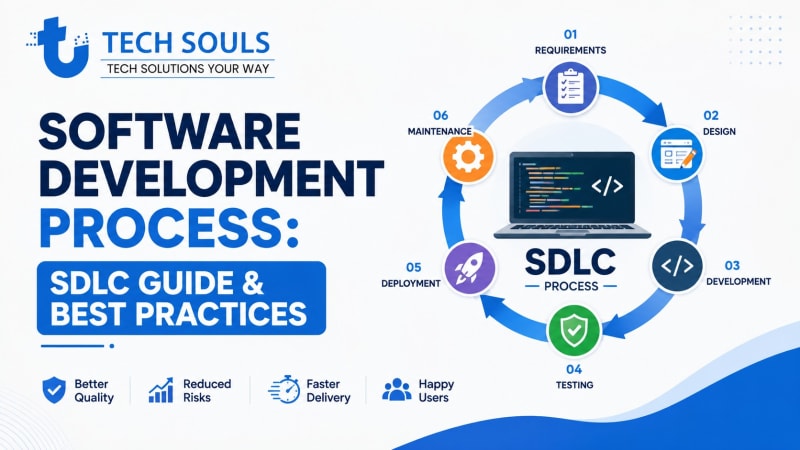
If you have ever wondered how an idea becomes a working app, website, SaaS platform, or business system, the answer is the software development process. It is a structured workflow that helps teams turn requirements into reliable software through planning, design, development, testing, deployment, and maintenance.
A well-defined process helps developers and businesses control scope, reduce avoidable errors, manage changing requirements, improve software quality, and deliver products that meet user needs.
This guide explains the software development process from beginning to end, including the software development lifecycle (SDLC), major development phases, Agile and Waterfall methodologies, testing, deployment, maintenance, common mistakes, and modern best practices.
Quick Answer: What Is the Software Development Process?
The software development process is a structured approach for planning, designing, building, testing, deploying, and maintaining software. It commonly follows SDLC stages such as requirements gathering, planning, system design, development, testing, deployment, and maintenance. Teams can use Agile, Waterfall, or hybrid methodologies depending on project requirements, risk, complexity, and how frequently requirements may change.
What Is the Software Development Process?
The software development process is the series of activities a development team follows to create and maintain software.
It starts before anyone writes code.
A typical project begins with an idea or business problem. The team then determines what the software needs to accomplish, plans the work, designs the solution, writes and tests the code, releases the product, and continues improving it after launch.
The process can be simple for a small application or highly structured for large systems such as banking platforms, healthcare applications, enterprise SaaS products, or government software.
The important point is that software development is more than coding.
Coding is only one part of the overall process.
Why Does Software Need a Development Process?
Without an organized process, teams can easily encounter:
- Unclear requirements
- Scope changes
- Missed deadlines
- Duplicate work
- Poor communication
- Security problems
- Difficult-to-maintain code
- Testing gaps
- Unexpected costs
- Deployment failures
A development process gives everyone a shared framework for deciding what needs to be built, who is responsible for it, how quality will be evaluated, and when the software is ready for users.
Software Development Process vs. SDLC vs. Methodology
These terms are related, but they are not exactly the same.
What Is SDLC?
SDLC, or Software Development Life Cycle, describes the lifecycle through which software is planned, developed, tested, released, and maintained.
A typical SDLC can be represented as:
Requirements → Planning → Design → Development → Testing → Deployment → Maintenance
The exact stages and terminology vary between organizations and development models.
What Is a Software Development Methodology?
A methodology describes how a team organizes and executes development work.
Common approaches include:
- Agile
- Waterfall
- Scrum
- Kanban
- Spiral
- Iterative
- Incremental
- Hybrid approaches
How Do They Work Together?
Think of SDLC as the lifecycle and methodology as the way the team moves through that lifecycle.
For example, an Agile team may repeatedly move through planning, design, development, and testing in short iterations. A Waterfall project may complete major stages sequentially.
The 7 Key Stages of the Software Development Process
While different organizations use different terminology, most software projects involve several common activities.
1. Requirements Gathering and Analysis
The first major question is:
What problem are we trying to solve?
During requirements gathering, the team identifies what users, customers, and business stakeholders need from the software.
Requirements may include:
- Features
- User workflows
- Business rules
- Security requirements
- Performance expectations
- Integrations
- Compatibility requirements
- Regulatory constraints
Functional vs. Non-Functional Requirements
Functional requirements describe what the software should do.
Example:
A customer should be able to reset a forgotten password.
Non-functional requirements describe qualities or constraints.
Examples include:
- Performance
- Security
- Reliability
- Scalability
- Availability
- Usability
For example, a password-reset function might need to respond quickly, protect sensitive information, and prevent unauthorized access.
Why Requirements Matter
Poor requirements create problems later.
If developers misunderstand what users need, the team may build technically correct software that solves the wrong problem.
A good requirements process therefore clarifies:
- Who will use the product?
- What should users be able to accomplish?
- What problems should it solve?
- What constraints exist?
- How will success be measured?
2. Planning and Feasibility
Once requirements are understood, the team plans how to deliver the software.
Planning may cover:
- Project scope
- Development timeline
- Budget
- Team responsibilities
- Technology choices
- Dependencies
- Risks
- Testing strategy
- Deployment strategy
A feasibility assessment can also determine whether the proposed solution is technically and financially practical.
For a complex application, planning might involve deciding whether to use a particular cloud platform, database, programming language, framework, or third-party API.
A Practical Tip
Do not confuse planning with predicting every detail perfectly.
Software projects often change as teams learn more. Good planning provides direction while allowing reasonable adjustments.
3. System Design and Architecture
After the team understands what needs to be built, it determines how the software should work.
System design can cover:
- Software architecture
- Database structure
- APIs
- User interfaces
- Authentication
- Authorization
- Data flows
- Third-party integrations
- Infrastructure
For example, an e-commerce platform might contain:
Frontend → Backend API → Application Services → Database
It may also connect to:
Payment Gateway + Email Service + Analytics + Cloud Storage
Software Architecture Matters
A small application may use a relatively simple architecture.
A large SaaS platform may need carefully designed services, databases, caching, queues, monitoring, security controls, and deployment infrastructure.
The goal is not to create the most complicated architecture.
The goal is to create an architecture that is appropriate for the software's current and expected needs.
4. Development and Implementation
This is the stage most people associate with software development.
Developers turn requirements and designs into working software.
Activities can include:
- Writing source code
- Creating database models
- Building APIs
- Developing user interfaces
- Integrating external services
- Implementing business logic
- Writing automated tests
- Fixing defects
Modern teams commonly use version-control systems such as Git to track changes and collaborate safely.
Code Quality Matters
Good development practices can include:
- Meaningful naming
- Modular code
- Code reviews
- Automated testing
- Documentation
- Dependency management
- Security checks
- Consistent coding standards
The objective is not simply to make code work today.
It should also be understandable and maintainable tomorrow.
5. Testing and Quality Assurance
Software should be tested before it is trusted with real users.
Testing helps identify:
- Bugs
- Incorrect behavior
- Integration problems
- Performance issues
- Security weaknesses
- Compatibility problems
- Regression defects
Common testing approaches include:
| Testing Type | Main Purpose |
| Unit testing | Test individual components |
| Integration testing | Check interactions between components |
| System testing | Evaluate the complete system |
| End-to-end testing | Test realistic user workflows |
| Regression testing | Ensure existing functionality still works |
| Performance testing | Evaluate speed and behavior under load |
| Security testing | Identify security weaknesses |
| User acceptance testing | Confirm the product meets user/business expectations |
Testing Is Not Only a Final Step
In modern development, testing can happen throughout the development process.
For example:
Code → Automated Test → Review → Build → Security Check → Deployment
This allows teams to detect problems earlier instead of waiting until the entire product is finished.
6. Deployment and Release
Deployment is the process of making software available in an environment where users or other systems can access it.
Depending on the project, this might involve:
- Development environment
- Testing environment
- Staging environment
- Production environment
A deployment process may include:
- Building the application
- Running automated tests
- Checking configuration
- Performing security checks
- Deploying the release
- Monitoring the application
- Verifying that the release works correctly
Modern DevOps teams may automate many of these steps through CI/CD pipelines.
Why Deployment Planning Matters
A successful application can still have a poor launch if deployment is unreliable.
Teams should consider:
- Backups
- Rollback procedures
- Database migrations
- Configuration management
- Monitoring
- Error tracking
- Downtime
- Release communication
7. Maintenance and Continuous Improvement
Software development does not necessarily end when an application goes live.
After deployment, teams may need to:
- Fix bugs
- Patch security vulnerabilities
- Improve performance
- Add features
- Update dependencies
- Support new operating systems
- Improve usability
- Scale infrastructure
This is the maintenance stage of the software lifecycle.
A mature development process also uses production feedback to determine what should be improved next.
That creates a continuous cycle:
Build → Release → Measure → Learn → Improve
SDLC Phase Summary
| SDLC Stage | Main Question | Typical Output |
| Requirements | What should we build? | Requirements/User Stories |
| Planning | How will we build it? | Project Plan |
| Design | What should the solution look like? | Architecture/Design |
| Development | How do we implement it? | Working Software |
| Testing | Does it work correctly? | Test Results |
| Deployment | How do users access it? | Production Release |
| Maintenance | How do we improve it? | Updates and Fixes |
Not every organization uses exactly seven stages. Some combine planning with requirements or treat maintenance as part of continuous operations.
Agile vs. Waterfall: Which Software Development Model Is Better?
There is no universally best software development methodology.
The right choice depends on the project's requirements, risk profile, stakeholders, regulatory environment, team structure, and expected level of change.
Agile Software Development
Agile emphasizes iterative development, frequent feedback, collaboration, and adapting to changing requirements.
Instead of waiting months to release the entire product, teams can build and deliver smaller increments.
Agile works well when:
- Requirements may change
- Customer feedback is important
- The product will evolve continuously
- Frequent releases are useful
- The team can collaborate closely with stakeholders
Agile does not mean “no planning.”
Good Agile teams still plan, prioritize, estimate, test, document where appropriate, and manage technical risks.
Waterfall Software Development
Waterfall follows a more sequential approach.
A simplified flow might look like:
Requirements → Design → Development → Testing → Deployment
It can work well when requirements are relatively stable and the project benefits from defined stages and formal approvals.
Waterfall may be appropriate when:
- Requirements are well understood
- Changes are expensive
- Formal documentation is important
- Regulatory or contractual requirements are significant
- Sequential approvals are necessary
Agile vs. Waterfall Comparison
| Factor | Agile | Waterfall |
| Development style | Iterative | Sequential |
| Requirement changes | Easier to accommodate | Usually more difficult |
| Feedback | Frequent | Often concentrated around milestones |
| Releases | Frequent increments | Often later in the lifecycle |
| Planning | Continuous | Heavier upfront planning |
| Flexibility | High | Lower |
| Best fit | Evolving products | Stable, well-defined projects |
Many real-world teams do not follow a methodology in its pure form.
They may combine:
- Agile development
- Formal project governance
- Waterfall-style approvals
- Automated testing
- DevOps practices
This can be useful when a project needs flexibility in development but also has strict business, legal, or regulatory requirements.
Other Software Development Models
Agile and Waterfall are not the only choices.
Spiral Model
The Spiral model emphasizes iterative development combined with systematic risk analysis.
It can be useful for complex projects where risk management is especially important.
Iterative Model
The product is developed through repeated cycles.
Each iteration can improve the previous version based on feedback and new information.
Incremental Model
The product is delivered in separate functional increments.
For example, an application might initially launch with:
- User registration
- Product browsing
- Basic checkout
Later increments can add:
- Reviews
- Recommendations
- Loyalty programs
Prototype Model
A prototype is created to explore an idea, validate requirements, or gather user feedback before committing to a complete implementation.
Prototypes are particularly useful when users themselves are not yet sure what they need.
Real-World Example: Building an E-Commerce Application
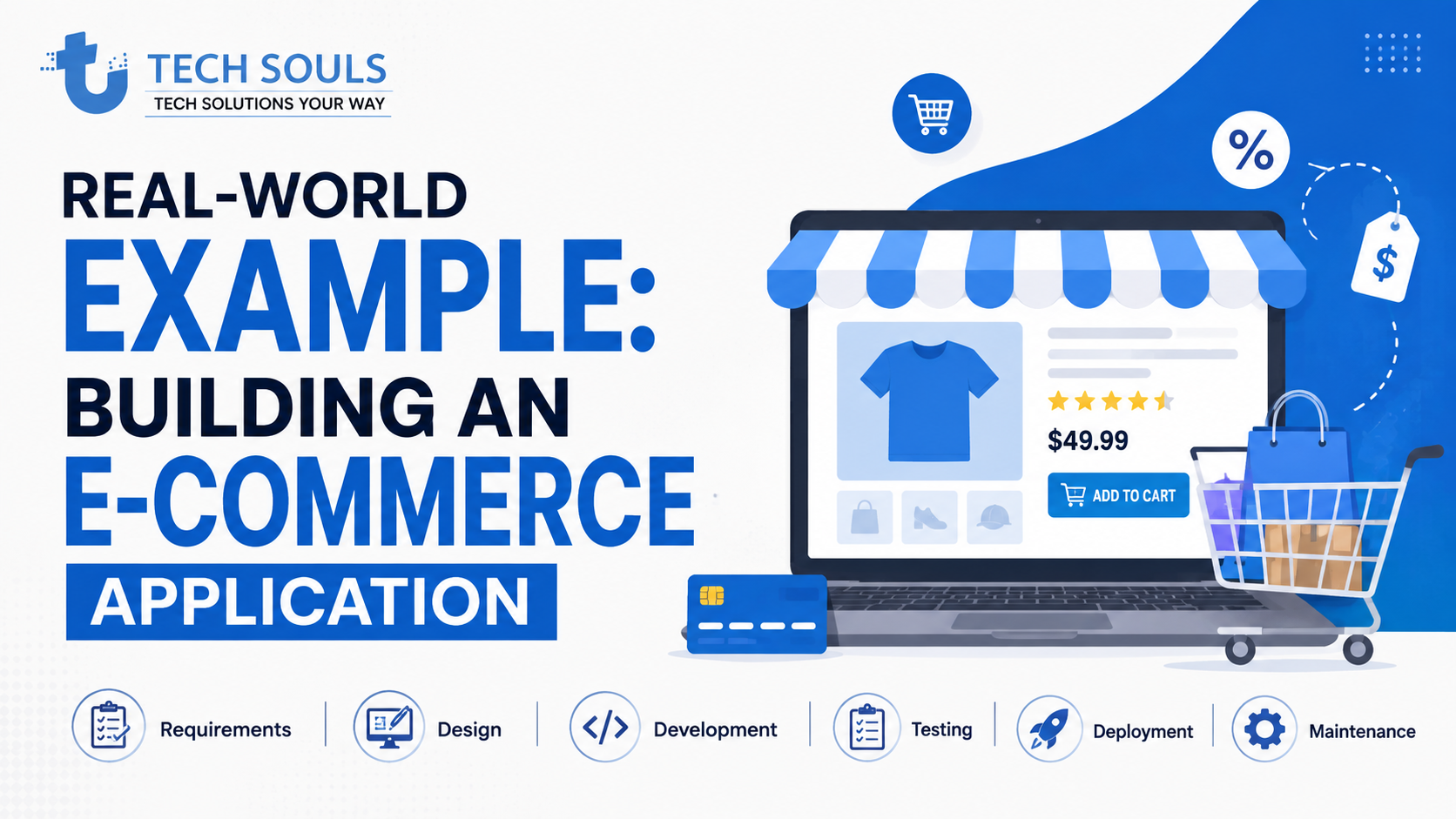
Imagine a business wants to build an online store.
Requirements
The business needs:
- Customer registration
- Product catalog
- Search
- Shopping cart
- Checkout
- Online payments
- Order tracking
Planning
The team determines:
- Project scope
- Development team
- Technology stack
- Budget
- Timeline
- Payment provider
- Hosting strategy
Design
Designers and developers plan:
- Product pages
- Checkout flow
- Database structure
- APIs
- Authentication
- Payment architecture
Development
Developers build:
- Frontend
- Backend
- Database
- APIs
- Payment integration
Testing
QA checks:
- Product search
- Cart calculations
- Payment flows
- Account security
- Mobile compatibility
- Order creation
- Error handling
Deployment
The application is released to production.
The team monitors:
- Errors
- Performance
- Server health
- Payment failures
- User behavior
Maintenance
After launch, the business may request:
- Product recommendations
- New payment options
- Faster search
- Better mobile UX
- Loyalty features
This example demonstrates why software development is a lifecycle rather than a single coding task.
Why Is the Software Development Process Important?
A structured software development process provides several benefits.
1. Better Software Quality
Requirements, design reviews, testing, code reviews, and monitoring provide multiple opportunities to identify problems.
2. Reduced Risk
Planning helps teams identify technical, financial, security, and operational risks before they become expensive problems.
3. Less Rework
Clear requirements and early validation reduce the chance of building features that users do not actually need.
4. Better Collaboration
A shared process helps developers, designers, managers, QA engineers, and stakeholders understand what is happening and what comes next.
5. More Predictable Delivery
No process can guarantee an exact delivery date, but planning, estimation, prioritization, and progress tracking can make project delivery more predictable.
6. Easier Maintenance
Well-structured code, documentation, automated tests, version control, and clear architecture make future changes easier.
7. Better Scalability
A thoughtful architecture can make it easier to handle increasing users, transactions, data, and integrations.
Who Is Involved in Software Development?
Software development is usually a team activity.
Depending on the project, roles can include:
Product Manager
Helps define product goals, priorities, and user needs.
Business Analyst
Helps translate business problems into clear requirements.
UX/UI Designer
Designs user experiences and interfaces.
Software Developer
Builds and maintains the software.
Software Architect
Makes important architectural and technical decisions.
QA Engineer
Designs and performs testing to identify defects and quality problems.
DevOps Engineer
Helps automate development, deployment, infrastructure, and operational processes.
Security Professional
Helps identify and reduce security risks.
Stakeholders
Provide business requirements, feedback, approvals, and priorities.
On a small project, one person may perform several of these roles.
Best Practices for a Modern Software Development Process
Use Version Control
Version control allows teams to track changes, collaborate, review work, and recover previous versions when necessary.
Conduct Code Reviews
Code reviews allow another developer to examine changes before they become part of the main codebase.
They can help identify:
- Bugs
- Security concerns
- Maintainability problems
- Unclear code
- Design issues
Automate Testing
Automated tests can repeatedly verify important functionality without requiring every test to be performed manually.
Use CI/CD Carefully
Continuous integration and continuous delivery/deployment can automate parts of the build, test, and release process.
Automation should improve reliability rather than simply add more tools.
Build Security Into the Process
Security should not be treated as something that happens only immediately before launch.
Teams should consider security during:
- Requirements
- Architecture
- Coding
- Testing
- Deployment
- Monitoring
This approach is often associated with Secure SDLC and DevSecOps practices.
Document Important Decisions
Documentation does not need to describe every line of code.
Useful documentation can include:
- Architecture decisions
- API behavior
- Deployment instructions
- Setup requirements
- Business rules
- Important technical constraints
Monitor Production Software
Once software is deployed, teams need visibility into how it behaves.
Monitoring and observability can help identify:
- Errors
- Slow requests
- Failed transactions
- Infrastructure problems
- Unusual behavior
Common Software Development Mistakes
Starting to Code Too Early
A team may begin programming before requirements and acceptance criteria are sufficiently clear.
Better approach: Define the problem and expected outcome first.
Treating Requirements as Permanent
Requirements can change, especially in evolving products.
Better approach: Establish a controlled way to evaluate and prioritize changes.
Testing Only at the End
Finding major defects shortly before launch can create unnecessary pressure.
Better approach: Test continuously throughout development.
Ignoring Non-Functional Requirements
A system can provide the right features but still fail because it is too slow, insecure, unreliable, or difficult to use.
Better approach: Define quality attributes early.
Treating Security as a Final Checklist
Security problems can originate in architecture, requirements, dependencies, authentication, data handling, and deployment.
Better approach: Integrate security throughout the lifecycle.
Choosing a Methodology Because It Is Popular
Agile is not automatically right for every project, and Waterfall is not automatically outdated.
Better approach: Choose based on project characteristics.
Ignoring Post-Launch Work
Software requires monitoring, updates, bug fixes, security patches, and improvements after release.
Better approach: Plan for maintenance from the beginning.
Software Development Process Checklist
Before launching a software project, ask:
Requirements
- Is the problem clearly defined?
- Are user needs documented?
- Are functional requirements clear?
- Are non-functional requirements considered?
Planning
- Is the scope defined?
- Are responsibilities clear?
- Have major risks been identified?
- Is the technology appropriate?
Design
- Is the architecture suitable?
- Are security requirements considered?
- Is the database design appropriate?
- Are integrations understood?
Development
- Is version control being used?
- Are coding standards defined?
- Are changes reviewed?
- Are dependencies managed?
Testing
- Are critical workflows tested?
- Is automated testing being used where practical?
- Has security testing been considered?
- Has user acceptance been completed where necessary?
Deployment
- Is the production environment ready?
- Are backups available?
- Is rollback possible?
- Is monitoring configured?
Maintenance
- Who handles production issues?
- How will bugs be prioritized?
- How will dependencies be updated?
- How will new requirements be evaluated?
What About “Bixiros.5a8”?
If you encountered the term Bixiros.5a8 in connection with software development, it is important not to assume that it represents a standard software development methodology, SDLC model, framework, or publicly documented technology.
Without reliable documentation identifying the term, claims about its exact architecture or development process would be speculative.
The useful takeaway is that software associated with an unusual project name or internal identifier would still generally require familiar engineering activities such as requirements analysis, architecture/design, implementation, testing, deployment, security, and maintenance.
In other words, the underlying software development process is more important than an unexplained project identifier.
Frequently Asked Questions
What is a software development process?
A software development process is a structured workflow used to plan, design, build, test, deploy, and maintain software. It helps teams manage requirements, quality, risks, collaboration, and ongoing improvements.
What are the 7 phases of software development?
A common seven-stage process includes requirements gathering, planning, system design, development, testing, deployment, and maintenance. Organizations may combine or rename some stages depending on their methodology.
Is SDLC the same as the software development process?
They are closely related but not always identical. SDLC describes the lifecycle of software development, while a software development process includes the specific activities, workflows, tools, responsibilities, and practices a team uses throughout that lifecycle.
Is Agile better than Waterfall?
Neither is universally better. Agile is often useful when requirements change frequently and continuous feedback is important. Waterfall can be suitable when requirements are stable and sequential planning, documentation, or approvals are important.
What happens before coding?
Before coding, teams typically define requirements, analyze feasibility, plan the project, design the system, and decide how the software should be architected.
What happens after software deployment?
After deployment, teams monitor the software, fix bugs, address security issues, improve performance, update dependencies, support users, and develop new functionality.
Why is software testing important?
Testing helps identify defects, incorrect behavior, compatibility problems, security weaknesses, and performance issues before or after software reaches users.
What is the role of DevOps in software development?
DevOps connects software development and IT operations through practices such as automation, CI/CD, infrastructure management, monitoring, and reliable deployment.
How long does software development take?
There is no universal timeline. A simple application may take weeks, while a complex enterprise system can require many months or years. Scope, team size, technical complexity, integrations, requirements, testing, and regulatory constraints all affect the timeline.
Key Takeaways
- The software development process is much broader than coding.
- SDLC provides a framework for managing the software lifecycle.
- Common stages include requirements, planning, design, development, testing, deployment, and maintenance.
- Agile works well for projects where requirements and priorities evolve.
- Waterfall can work well when requirements are stable and sequential control is valuable.
- Testing and security should be integrated throughout development.
- CI/CD and automation can improve delivery when implemented appropriately.
- Post-launch monitoring and maintenance are essential.
- The right development process depends on the project's goals, risks, users, and constraints.
- A good process should create better outcomes, not unnecessary bureaucracy.
Conclusion
The software development process gives teams a practical framework for turning an idea into reliable, maintainable software. Although SDLC phases and development methodologies differ between organizations, successful projects generally share the same fundamentals: clear requirements, thoughtful planning, appropriate architecture, disciplined development, continuous testing, reliable deployment, and ongoing maintenance.
The best process is not necessarily the most complicated one. A small application may need a lightweight workflow, while a large financial or enterprise platform may require extensive governance, security controls, testing, documentation, and monitoring.
For most modern software teams, the goal should be to create a process that is structured enough to control risk but flexible enough to respond to real-world change.
Continue Exploring TechSouls
Technology is constantly evolving, and staying informed helps you make better decisions whether you're interested in software, AI, cybersecurity, gadgets, or the latest tech trends. At TechSouls, we regularly publish in-depth guides, tutorials, troubleshooting articles, and breaking technology news to keep you updated with accurate and practical information. If you found this article helpful, explore more of our latest content below to expand your knowledge and stay ahead in the fast-changing world of technology.
[Why Was Innerlifthunt Game Postponed? Complete Update (2026)]
[GDTJ45 Builder Software Guide (2026): Features & How It Works]
[Meetshaxs Performance Optimization: Boost Speed in 2026]
[DualMedia Mobile App Guide: Features, Safety & Availability]
[Best Internet Setup for Gamers: Low Ping & Stable Speed]
[Social Media Stuff EmbedTree Features and Setup Guide 2026]
[Evolution of Digital Technology: Trends, AI and Innovation (2026)]
[Information About Foxtpax Software: Complete Guide (2026)]
[Endbugflow Software: Features, Benefits & How It Works]
[Aggr8Tech Digital Technology: Features, Benefits & Uses (2026)]